3
Setting Specifications That Are Common to Each Function (Common Settings)
3-20
Selecting and Storing Settings to Suit your Needs
2
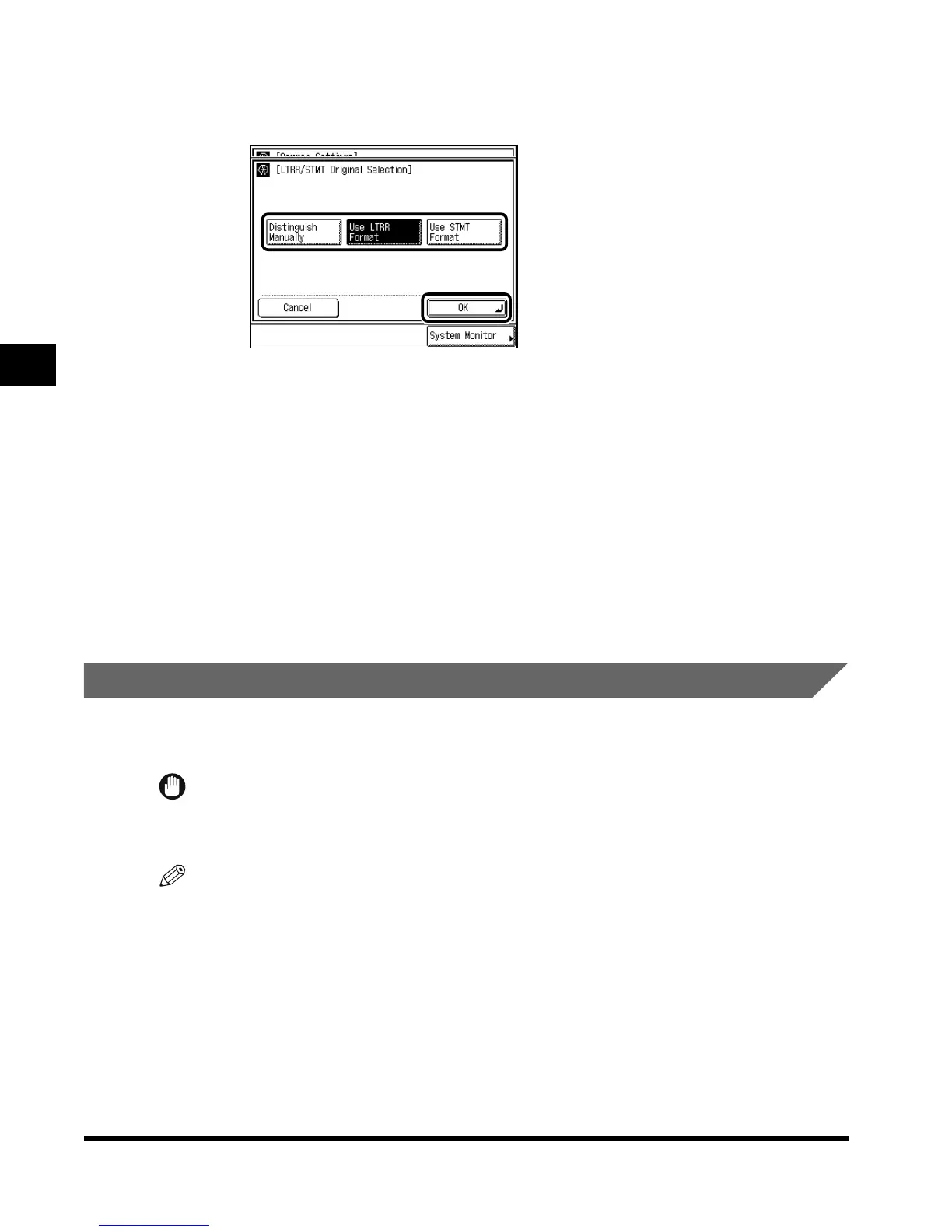
Select “Distinguish Manually,” “Use LTRR Format,” or “Use STMT
Format,” and press “OK.”
When you place an LTRR or STMT-size original on the platen glass:
- If you select “Distinguish Manually”: A screen allowing you to select the original size
appears when scanning.
- If you select “Use LTRR Format”: The machine detects the original as LTRR-size.
- If you select “Use STMT Format”: The machine detects the original as STMT-size.
3
Press “Done.”
Repeat this procedure.
The specified mode is set and the display returns to the Basic Features screen.
Setting a Dedicated Tray for Each Function
You can select the function for which each output tray of the Saddle Finisher-G1 (option) or
the Inner 2way Tray-A1 (option) is to be used.
IMPORTANT
•
This function can be set only when the Inner 2way Tray-A1 is attached.
•
“Fax” is displayed only when the FAX Board (option) is attached.
NOTE
• It is possible to assign a single tray to multiple functions.
•
The default settings are as follows:
-Tray A: Copy, Printer
-Tray B: Fax, Other
-Tray C: No designation
E1L_US_U_.book-INDEX Page 20 Wednesday, May 23, 2001 11:40 PM












 To Next Page