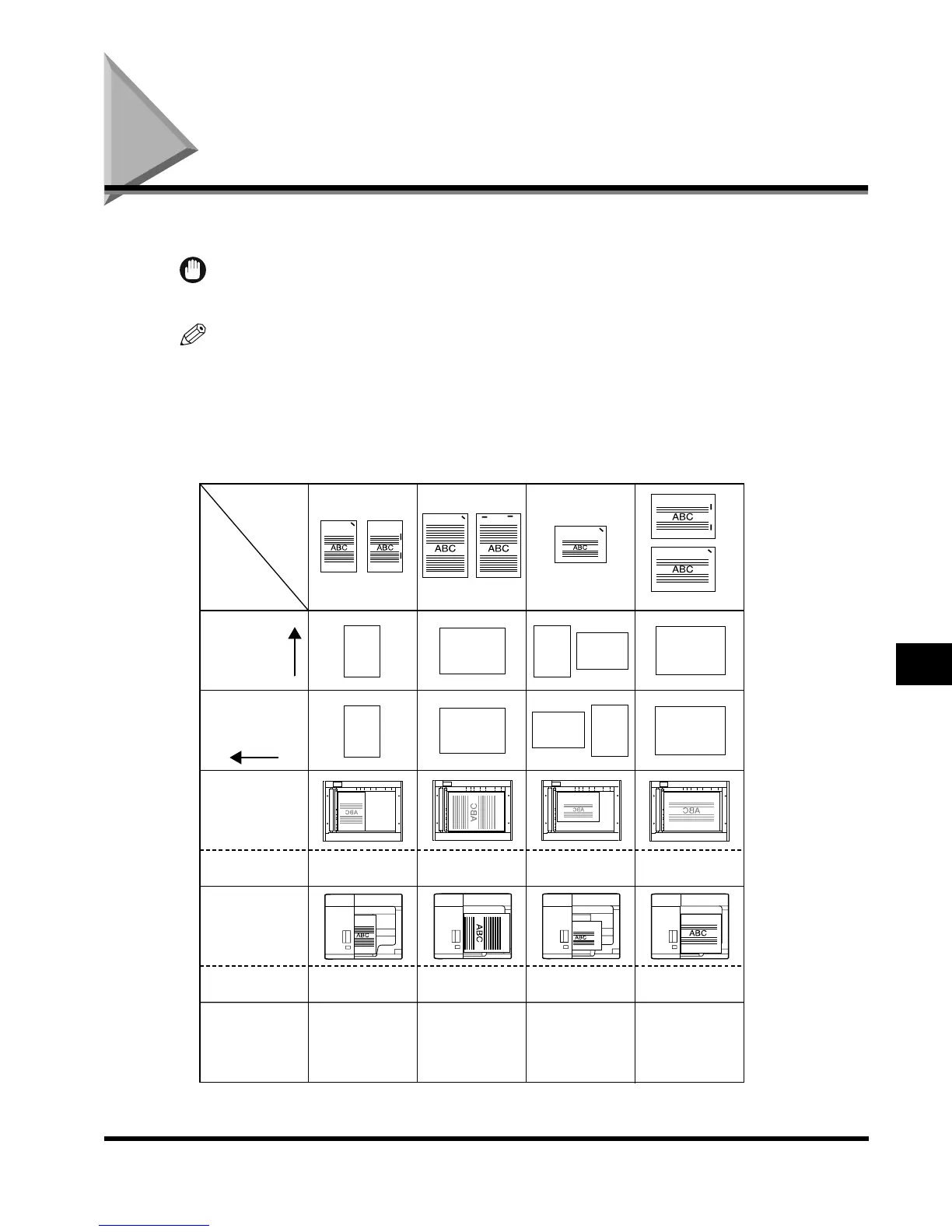
Relation of Original Orientation and Paper Orientation
8-9
Appendix
8
Relation of Original Orientation and Paper
Orientation
Please use this chart when printing on paper with logos etc., printed beforehand.
IMPORTANT
•
When the Finisher-J1 is attached, only the <Corner: Top Left> stapling setting is available.
NOTE
•
When copying on the rear side of printed paper, set the paper in the way that the side you want to
copy on is:
-Face down when using a paper drawer.
-Face up when using the stack bypass or paper deck.
■ When you want to Set the Right-side Stapling
Orientation
in paper
drawer
Orientation in
stack bypass/
paper deck
Orientation on
the platen glass
Orientation in
the feeder
Auto Orientation
setting
Staple setting
Corner: Top Right
Double: Right
Corner: Top Right
Corner: Top Right
Double: Right
Corner: Top Left
Double: Left
Corner: Top Right
Corner: Top Right
Double: Right
Staple setting
Corner: Top Right
Double: Right
Corner: Bottom Right
Double: Right
Original/
paper
orientation,
settings
Confidential Confidential
LTR
LTR
11" x 17", LGL
11" x 17", LGL
Confidential
Confidential
Either On or Off Either On or Off
Either On or Off
Either On or Off
(Set to On when
paper orientation in
paper drawer/paper
deck is vertical.)
Confidential
Confidential
Confidential
Confidential
Confidential
Confidential
Confidential
Confidential
Confidential
Confidential
Confidential
Confidential
Confidential
Output
example
E1L_US_U_.book-INDEX Page 9 Wednesday, May 23, 2001 11:40 PM












 To Next Page