7
Feeder (DADF-H1)
7-32
Handling Options
Replacing the Stamp Cartridge (When the Fax Function Is
Installed)
Originals sent by fax via the feeder attached to this machine, can be stamped to indicate that
they have been sent. Replace the stamp cartridge when this mark is faint or is no longer
visible.
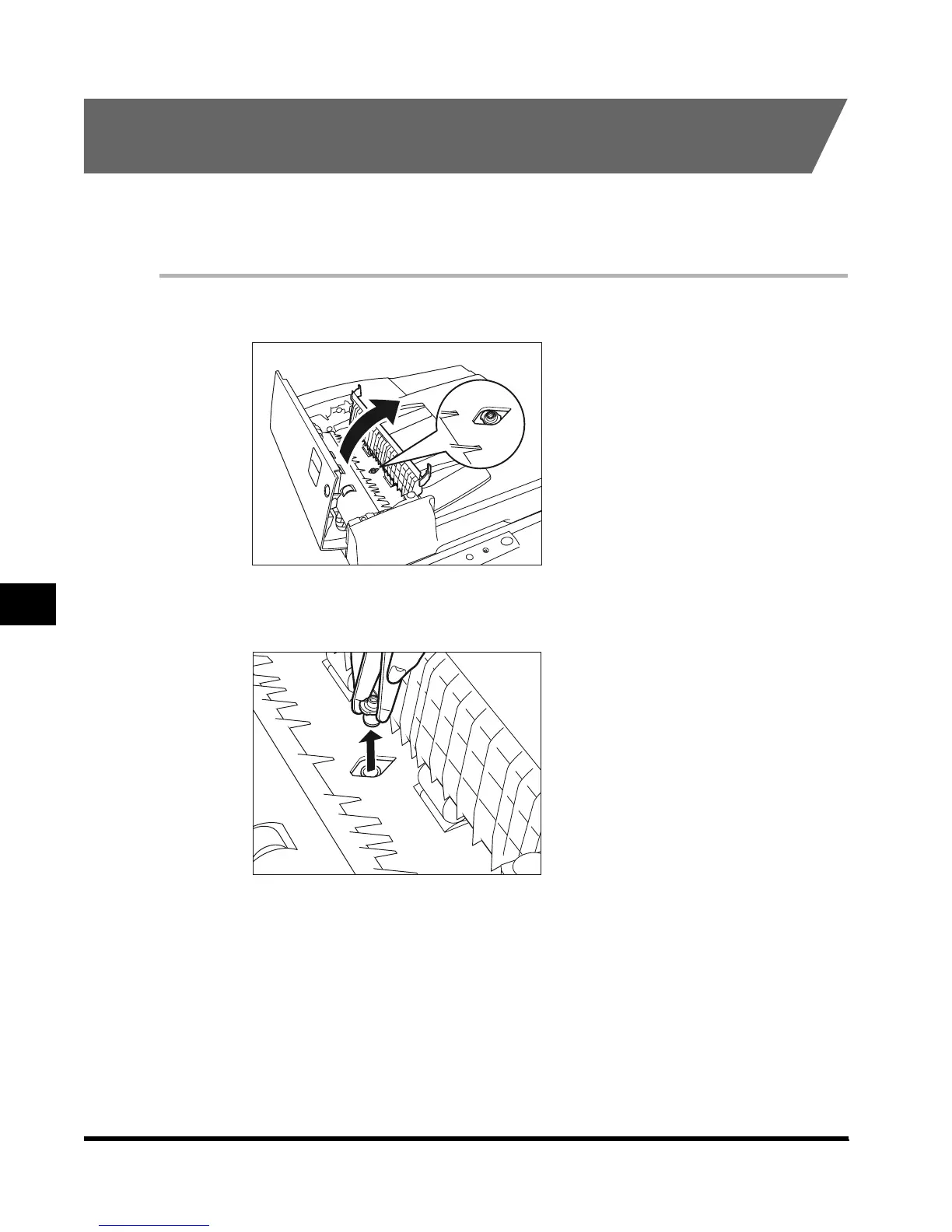
1
Open the upper feeder cover, and open the inner cover.
2
Remove the old stamp cartridge, using tweezers.
E1L_US_U_.book-INDEX Page 32 Wednesday, May 23, 2001 11:40 PM












 To Next Page