7
Finisher-J1
7-35
Handling Options
CAUTION
• If you open the front cover of the main unit while the front cover of the Finisher-J1 is open,
the front cover of the finisher may close. Take care, as this may result in injury.
Finishing Functions
The Finisher-J1 is equipped with the following functions:
■ Collate Mode
This function automatically collates print sets into page order before they are delivered.
■ Group Mode
This function outputs all prints of the same page in one set, and slightly shifts the output
position of print sets to make them easier to handle.
NOTE
•
The output tray moves down when each set of paper is delivered. When the delivered paper reaches
the stacking limit of the tray, printing stops temporarily. Remove all the paper from the output tray,
and the remaining printing will restart.
■ Offset Mode
This function outputs paper shifted to the front.
NOTE
•
These functions shift each set of output paper about 3/4" (20mm) before delivery, when the Offset
function has been set.
■ Staple Mode
This function automatically collates print sets into page order, staples the sets, and
outputs them.
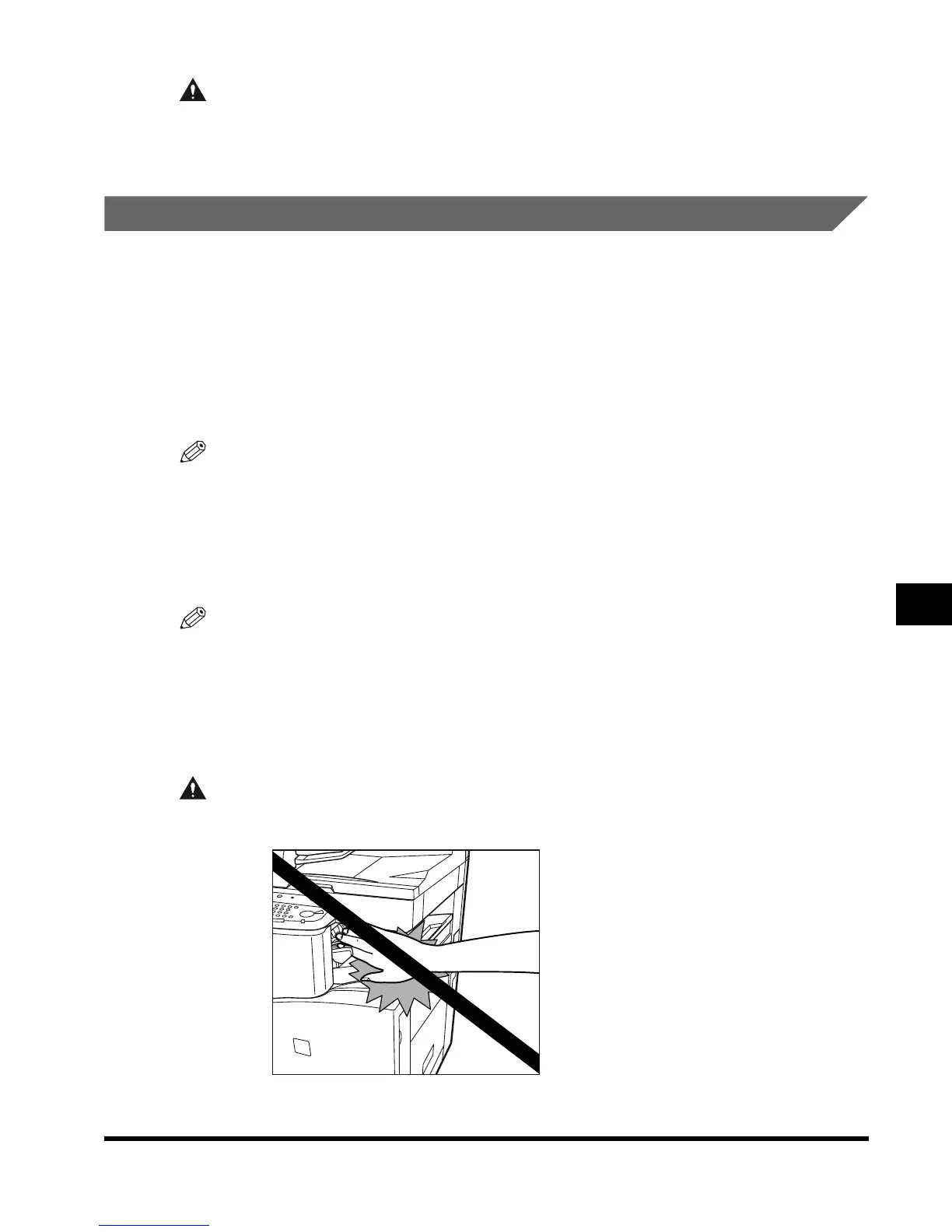
CAUTION
• Do not place your hand in the part of the tray where stapling is performed while a finisher
is attached, as this may result in personal injury.
E1L_US_U_.book-INDEX Page 35 Wednesday, May 23, 2001 11:40 PM












 To Next Page