If Memory Becomes Full During Scanning
6-30
Troubleshooting
6
If Memory Becomes Full During Scanning
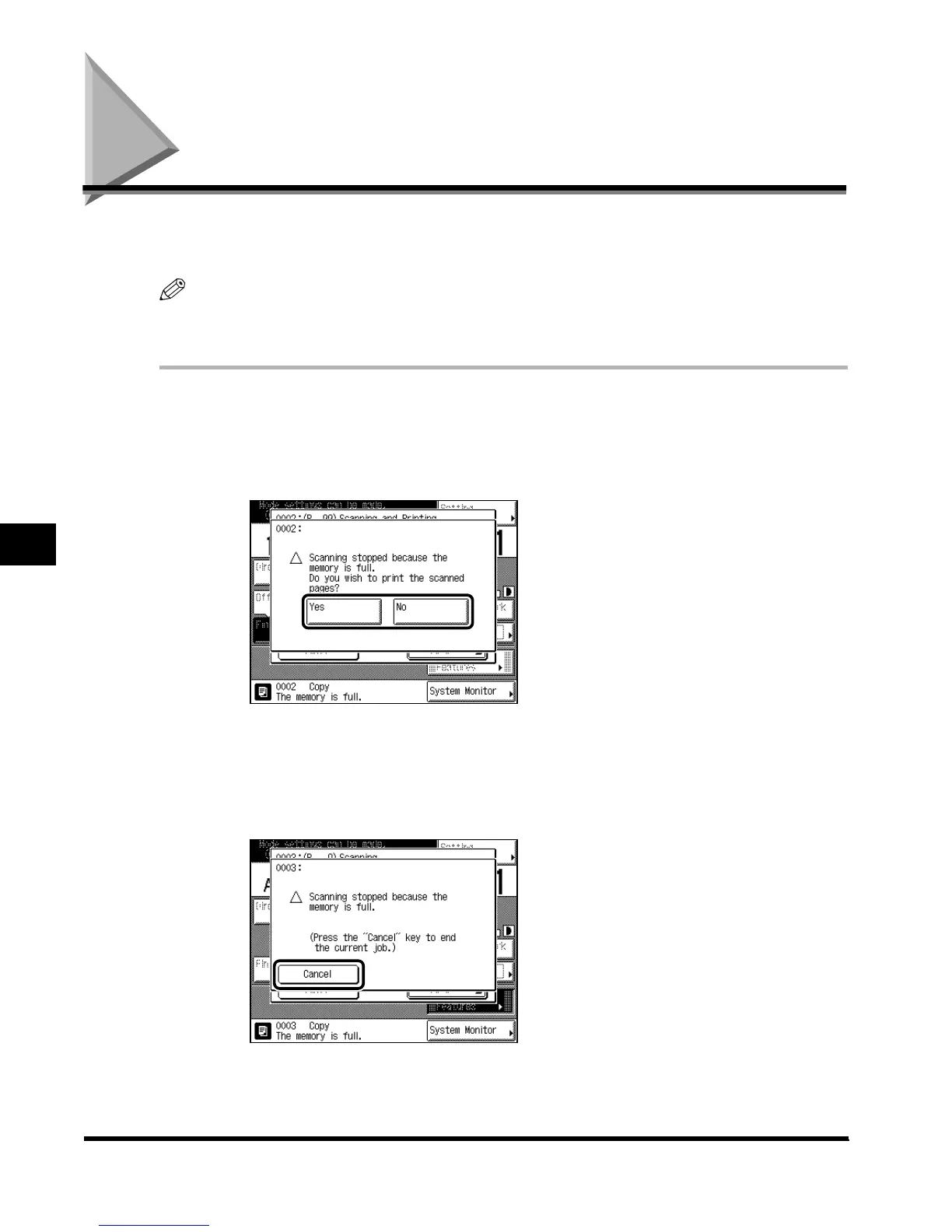
If memory becomes full during the scanning of originals, the following messages appear on
the touch-panel display.
NOTE
•
The machine’s memory can hold about 3,700 originals (LTR-size Canon Standard Chart, Standard
setting), scanned in the standard mode.
1
Follow this procedure:
● If the message asking whether to print the original pages scanned into
memory appears:
To print the pages scanned into memory, select “Yes.”
When printing is completed, scan the remaining originals.
To cancel printing, select “No.”
● If the screen shown below appears:
Press “Cancel.”
Process the job again when the current job is completed.
E1L_US_U_.book-INDEX Page 30 Wednesday, May 23, 2001 11:40 PM












 To Next Page