Entering Characters from the Touch Panel Display
1-31
Before You Start Using This Machine
1
Entering Characters from the Touch Panel Display
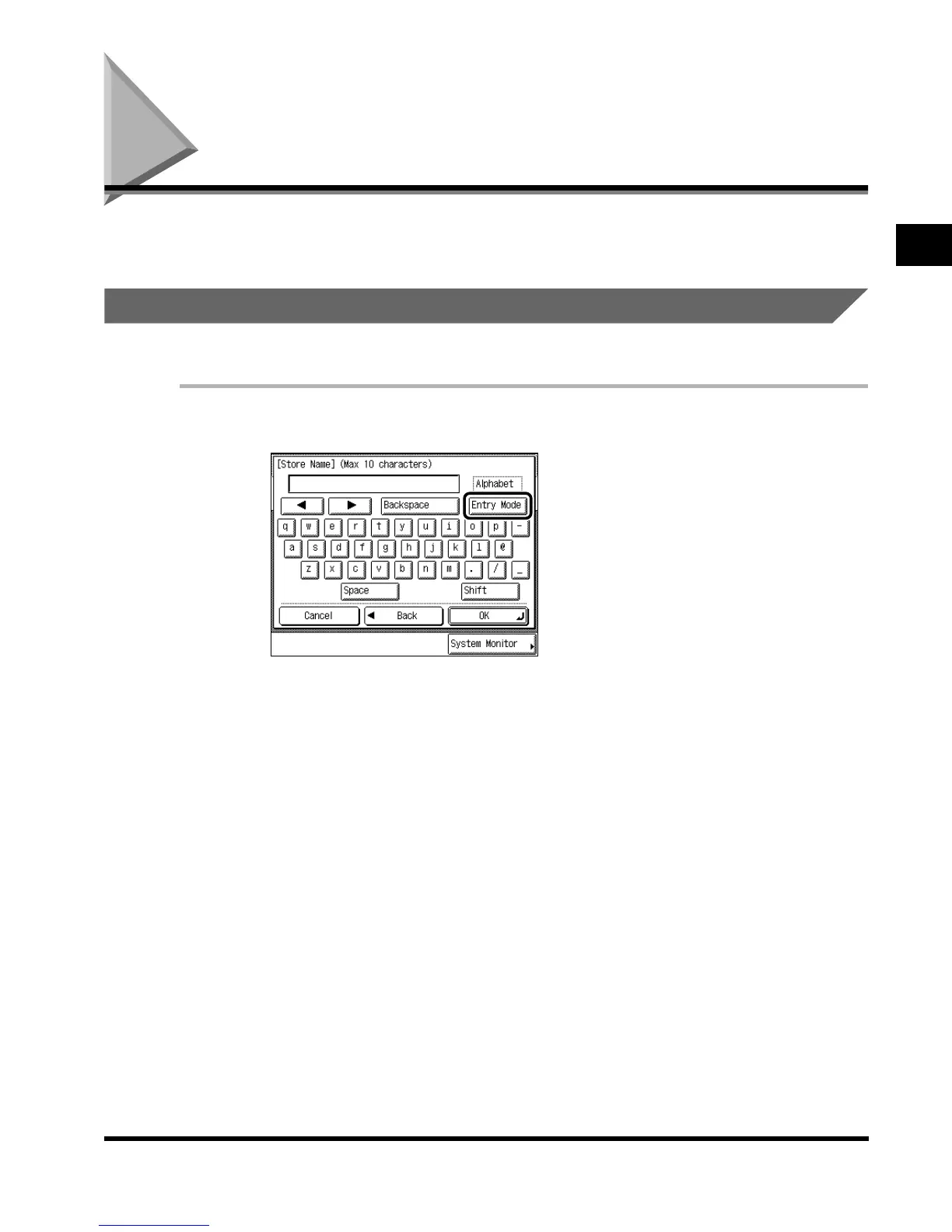
In screens which require alphanumeric entry, enter characters using the alphabet keys
displayed in the touch panel display, as described below.
Entering Alphabet Characters
Example: Enter <Canon>.
1
Press “Entry Mode” to select “Alphabet.”
Each press of “Entry Mode” switches the entry mode between “Alphabet” and “Other.”
If you press “Shift,” the entry mode changes to upper case mode, in which upper case
characters, comma, and colon can be entered.
E1L_US_U_.book-INDEX Page 31 Wednesday, May 23, 2001 11:40 PM












 To Next Page