5
Routine Cleaning
5-17
Routine Maintenance
Cleaning the Feeder
If your originals have black streaks or appear dirty after copying them using the feeder, this
may be caused by pencil writing rubbing off the originals and onto the roller. Perform this
feeder cleaning procedure to clean the feeder scanning area, white plate, and roller.
IMPORTANT
•
If the feeder scanning area is dirty, it may result in a paper jam or dirty print output.
•
Clean the roller while spinning it.
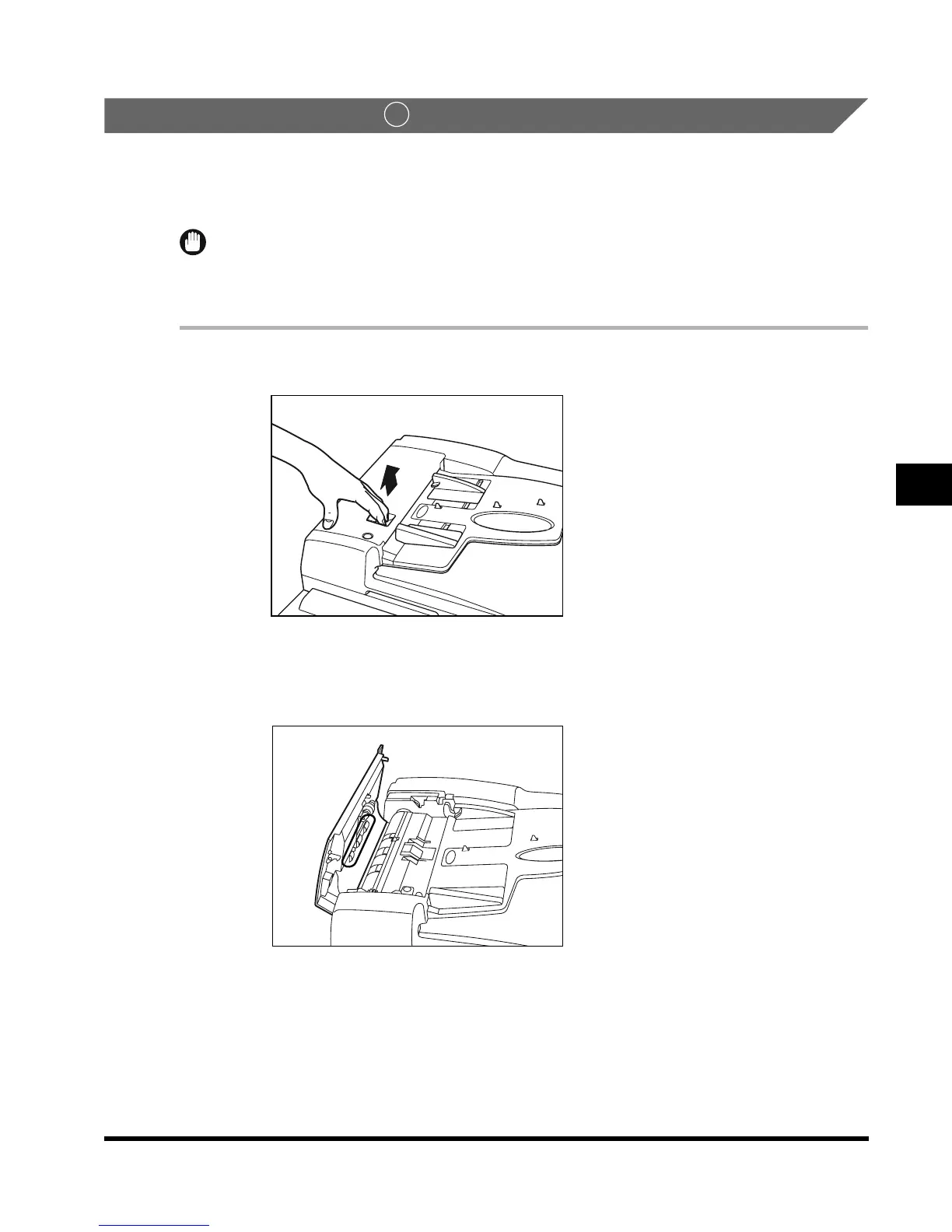
1
Open the feeder cover.
2
Clean the roller (total of 3 places), as shown below, with a cloth
dampened with water.
1
E1L_US_U_.book-INDEX Page 17 Wednesday, May 23, 2001 11:40 PM












 To Next Page