5
Routine Cleaning
5-18
Routine Maintenance
3
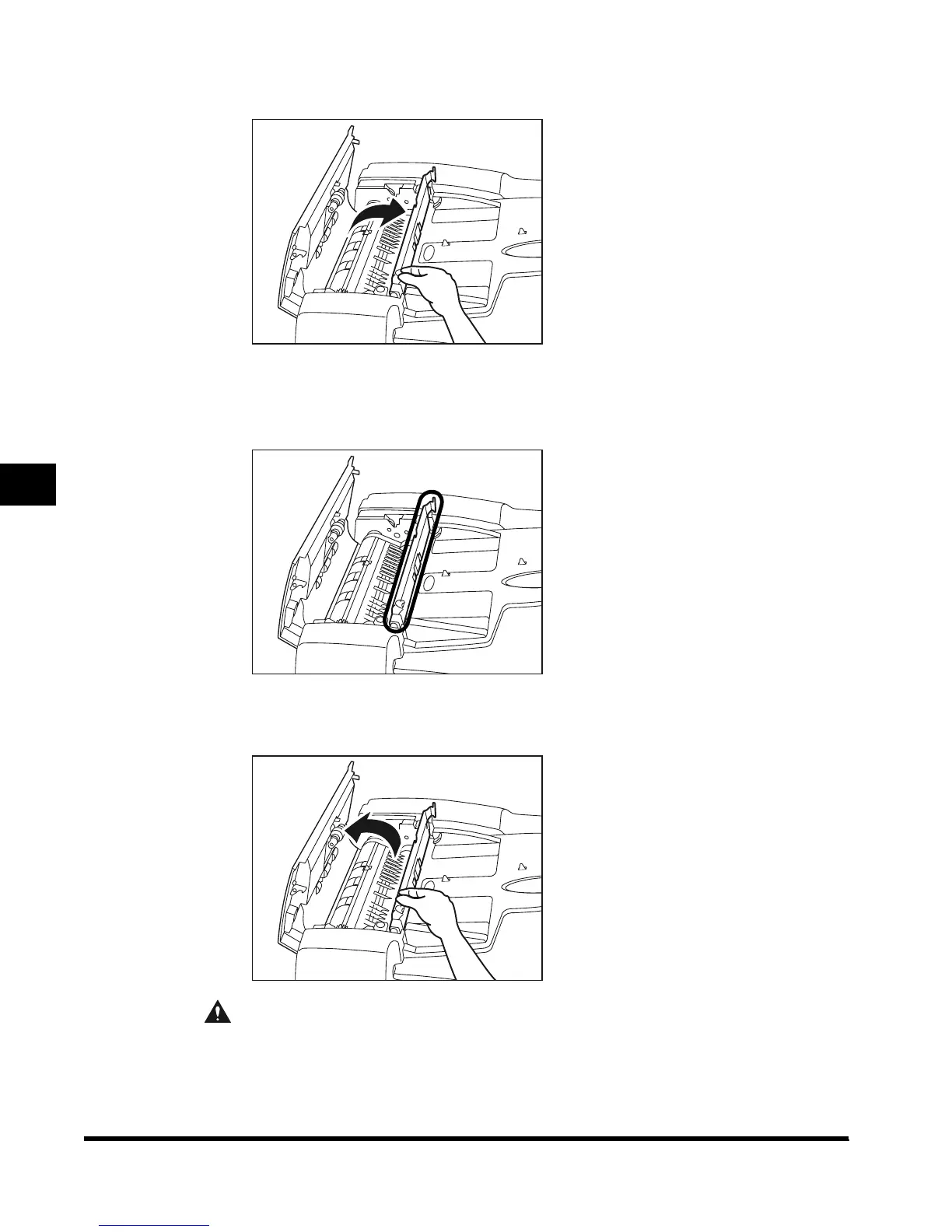
Open the middle cover, holding the knob in the front.
4
Clean the transparent plastic part of the middle cover with a cloth
dampened with water.
5
Close the middle cover.
CAUTION
• When closing the cover, be careful not to get your fingers caught, as this may result
in personal injury.
E1L_US_U_.book-INDEX Page 18 Wednesday, May 23, 2001 11:40 PM












 To Next Page