1
Parts and Their Functions
1-19
Before You Start Using This Machine
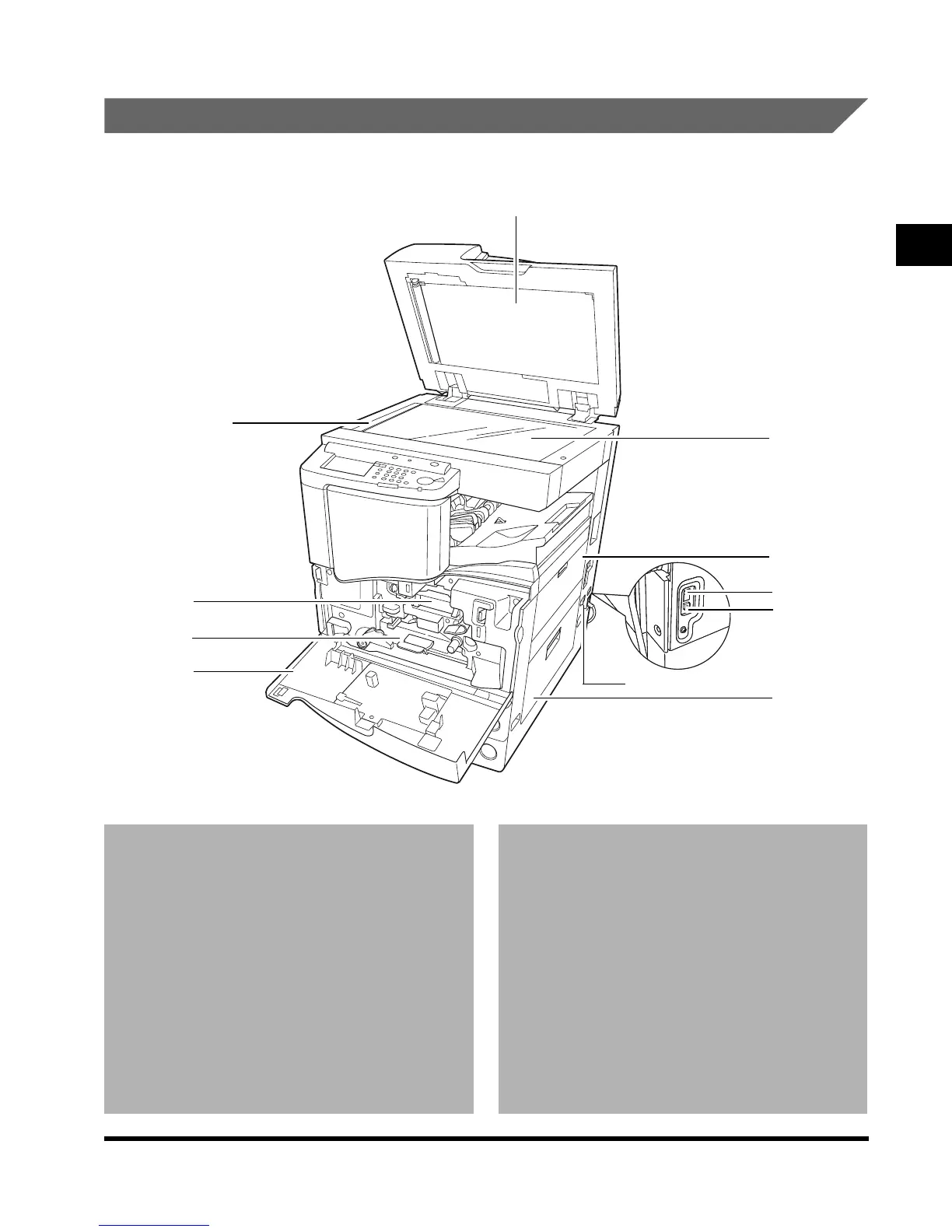
Internal View
1 Front cover
2 Duplexing unit
3 Toner box
4 Scanning area
5 Rear side of platen glass cover
6 Platen glass
7 Stack bypass
Feeds transparencies and non-standard size
paper stock. (See ‘Making Prints Using the Stack
Bypass,’ on p. 1-46.)
8 Main power switch
Press to the “I” side to turn the power on. (See
‘Main Power and Control Panel Power,’ on p. 1-
23.)
9 Breaker
Detects excess current or leakage current.
(See ‘Periodic Inspection of the Breaker,’ on p.
xxvi.)
0 Test button
A Upper right cover
Open this cover when clearing a paper jam.
(See ‘Clearing Paper Jams,’ on p. 6-2.)
5
7
6
4
3
2
1
A
9
0
8
E1L_US_U_.book-INDEX Page 19 Wednesday, May 23, 2001 11:40 PM












 To Next Page