3
Setting the Timer (Timer Settings)
3-36
Selecting and Storing Settings to Suit your Needs
2
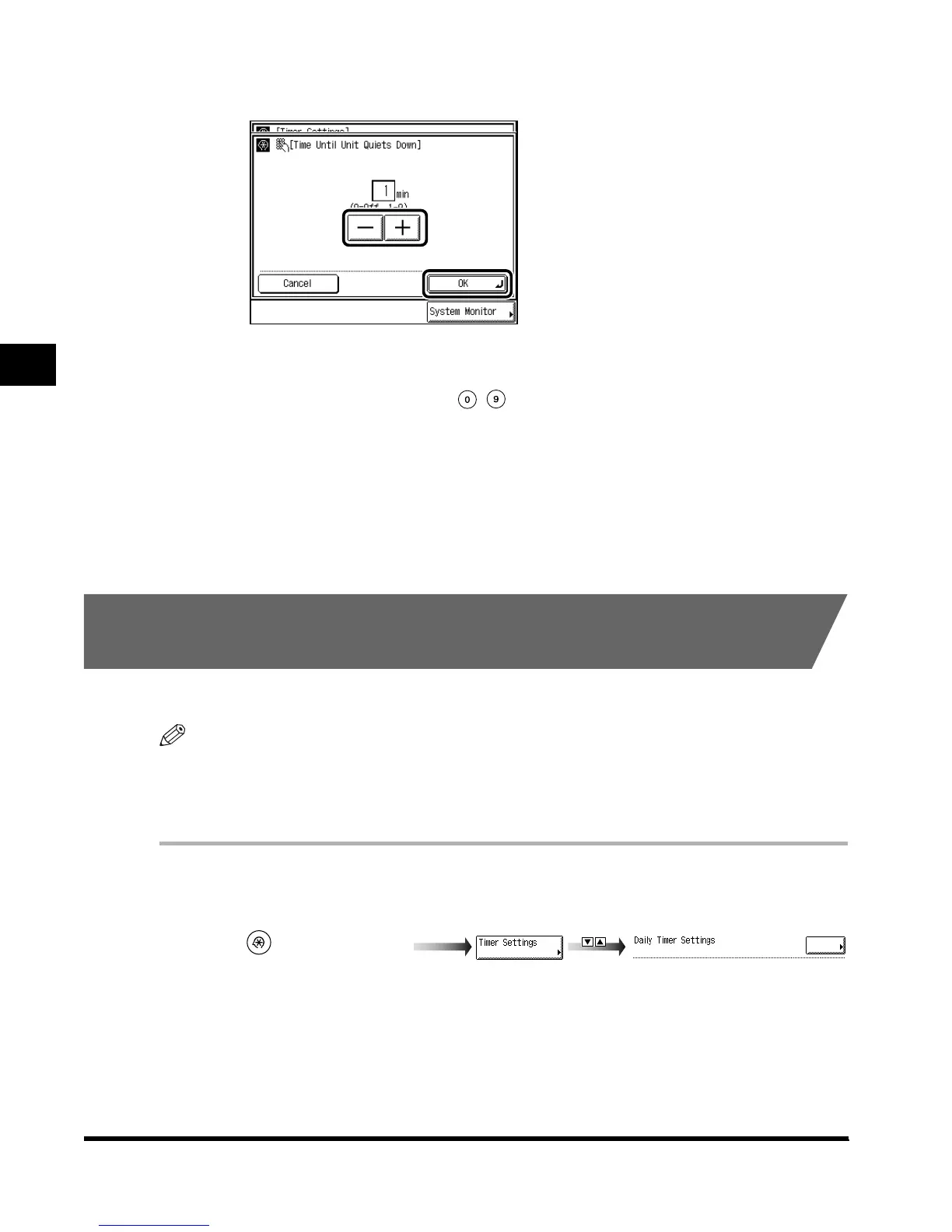
Enter the desired time period with “–” or “+,” and press “OK.”
The Time Until Unit Quiets Down settings are from 0 to 9 minutes (in one-minute
increments).
You can also enter values using - (numeric keys).
3
Press “Done.”
Repeat this procedure.
The specified mode is set and the display returns to the Basic Features screen.
Setting the Time that the Unit’s Power Turns Off on
Different Days of the Week
You can set the time that the machine automatically turns off for each day of the week.
NOTE
• Setting range: Daily from Sunday to Saturday, 00:00 to 23:59 in one-minute increments
•
When Auto Clear Time and Daily Timer are both set, Auto Clear Time has priority.
•
The default setting is “No setting.”
1
Call up the desired screen as follows:
(Additional Functions)
Daily Timer Settings
E1L_US_U_.book-INDEX Page 36 Wednesday, May 23, 2001 11:40 PM












 To Next Page