Handling Print Jobs Sent from a Computer
2-13
Checking Job and Device Status
2
Handling Print Jobs Sent from a Computer
You can temporarily stop a print job sent from a computer, or skip an error when a print error
occurs.
1
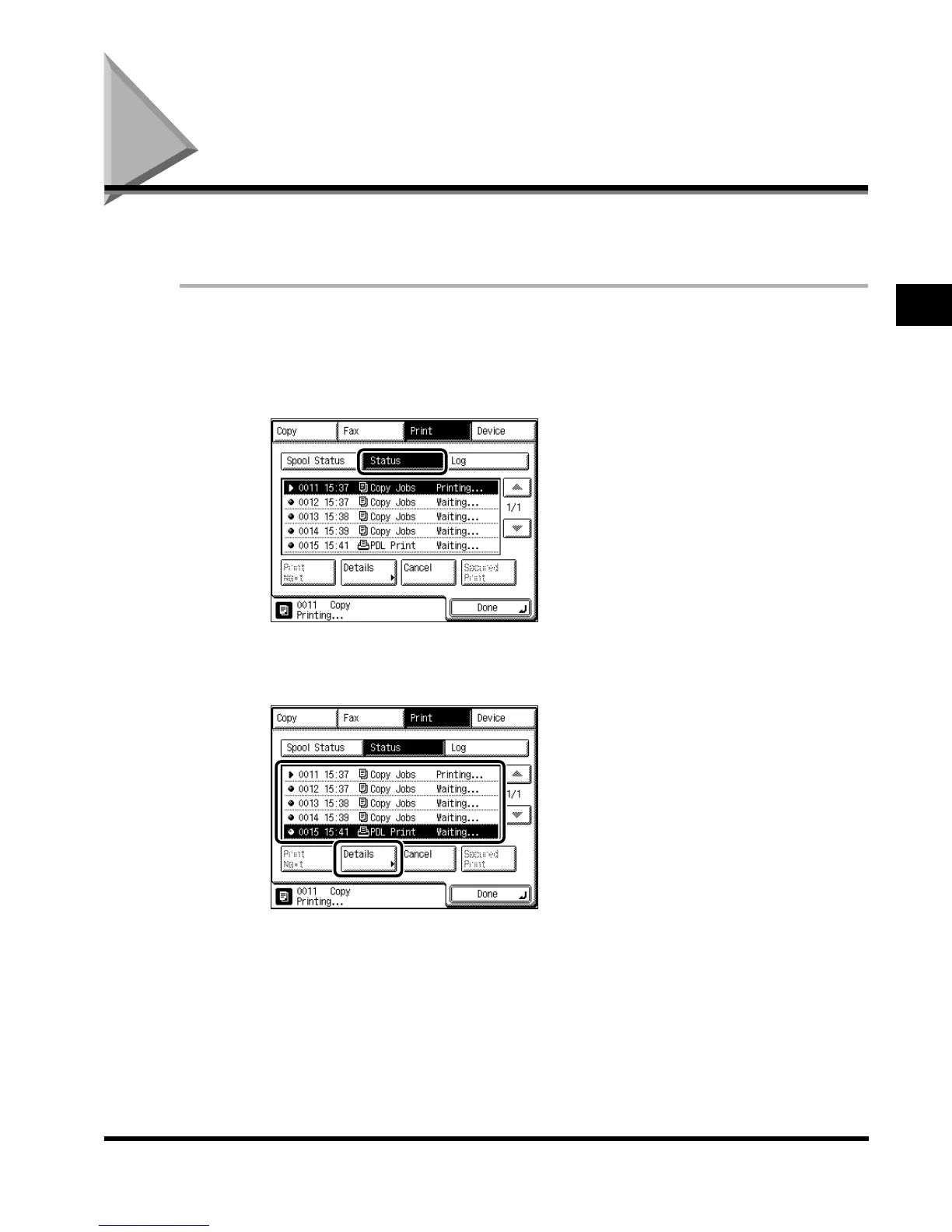
Press “System Monitor,” and press “Print.”
2
Select “Status.”
3
Select the desired document, and press “Details.”
E1L_US_U_.book-INDEX Page 13 Wednesday, May 23, 2001 11:40 PM












 To Next Page