Setting the Auto Offline On/Off (Auto Offline)
4-26
System Manager Settings
4
Setting the Auto Offline On/Off (Auto Offline)
When the network is online, scanning is not possible with the Copy, Mail Box, or Fax
functions. By setting Auto Offline to “On,” the machine will automatically go Offline.
NOTE
• “Auto Offline” is displayed only when the Network Scan function is enabled.
• The default setting is “Off.”
1
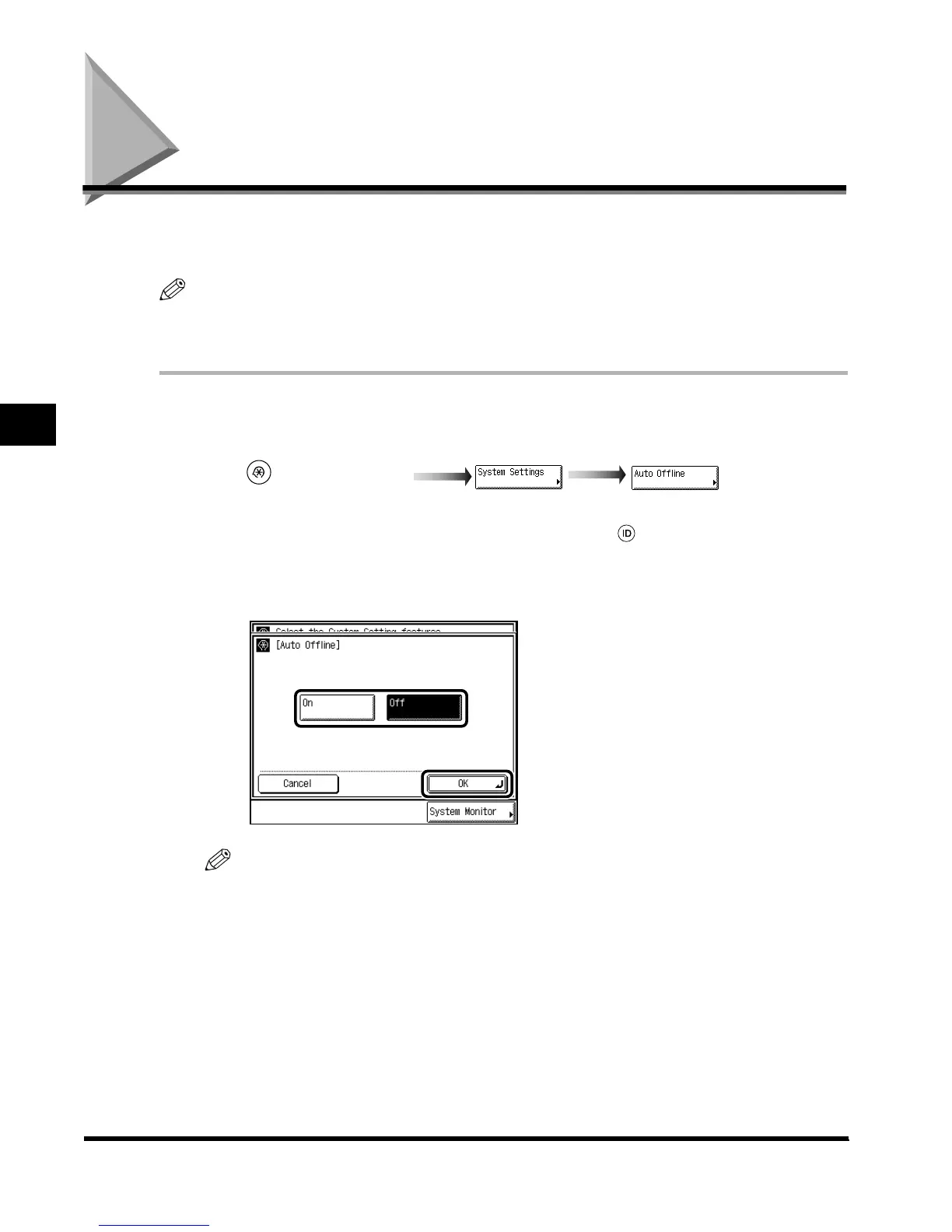
Call up the desired screen as follows:
When the System Manager ID/Password is set, enter the System Manager ID and System
Password after pressing “System Settings.” Then, press (ID).
2
Select “On” or “Off,” and press “OK.”
NOTE
•
If Auto Offline is set to “On,” the machine automatically goes offline at the Auto Clear Time. If
Auto Clear Time is set to (0), the machine will go Offline after approximately 2 minutes. (See
‘Setting the Time Taken for the Display to Return to the Basic Features Screen After Finishing
Operations,’ on p. 3-34.)
3
Press “Done.”
Repeat this procedure.
The display returns to the Basic Features screen.
(Additional Functions)
E1L_US_U_.book-INDEX Page 26 Wednesday, May 23, 2001 11:40 PM












 To Next Page