3
Printing Reports (Report Settings)
3-47
Selecting and Storing Settings to Suit your Needs
5
Press “Done.”
Repeat this procedure.
The specified mode is set and the display returns to the Basic Features screen.
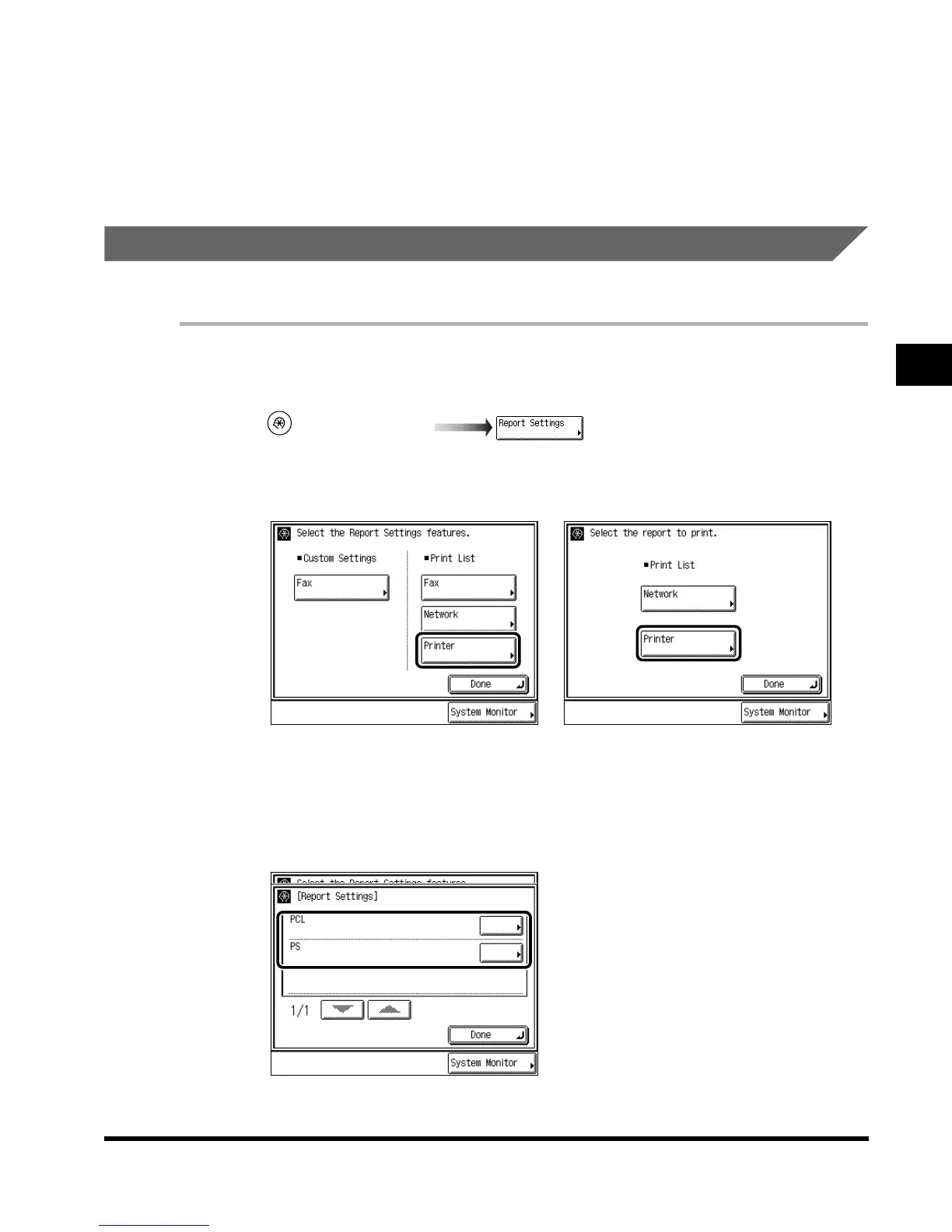
Printing the Contents of the Printer Settings
When the Printer Kit is attached, you can print the contents of the printer setting.
1
Call up the desired screen as follows:
2
Press “Printer” under <Print List>.
3
Select the type of report you want to print.
(Additional Functions)
hen the FAX Board, Network
nterface Adapter, and Printer Kit
re attached
When the Network Interface
Adapter and Printer Kit are
attached
E1L_US_U_.book-INDEX Page 47 Wednesday, May 23, 2001 11:40 PM












 To Next Page