3
Setting Specifications That Are Common to Each Function (Common Settings)
3-9
Selecting and Storing Settings to Suit your Needs
2
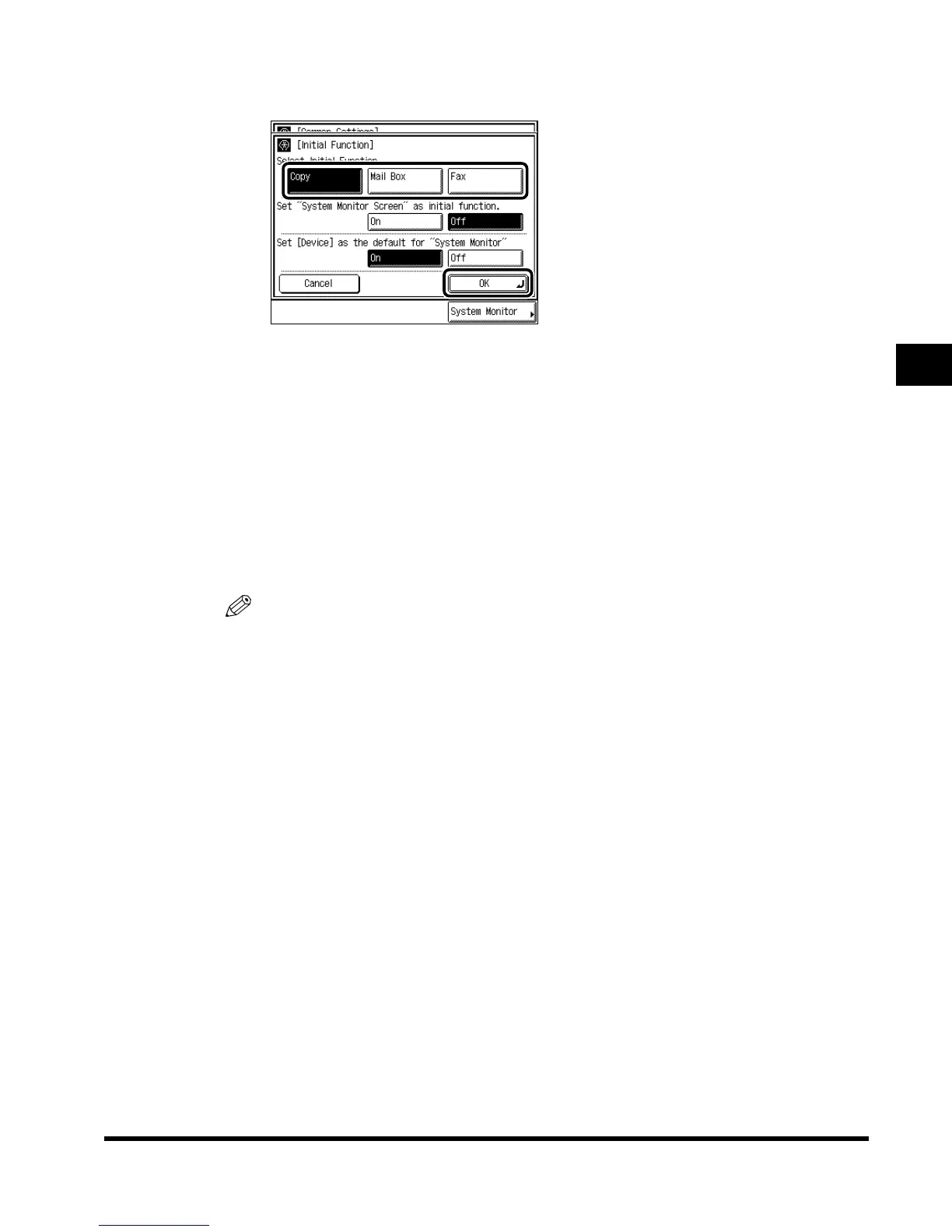
Select “Copy,” “Mail Box,” or “Fax,” and press “OK.”
“Fax” can only be selected when the FAX Board is attached.
When main power is turned on or after Auto Clear:
- If you select “Copy”: The Copy Basic Features screen appears.
- If you select “Mail Box”: The Box selection screen appears.
- If you select “Fax”: The Fax Basic Features screen appears.
● When using the System Monitor screen as the initial screen:
Select “On,” and press “OK.”
The System Monitor screen is displayed when the main power is turned on, or after Auto
Clear.
NOTE
•
When you do not want to set the Device screen as the default of the System Monitor screen,
press “Off,” and press “OK.” When you select “Off,” the Copy screen is set as the default of the
System Monitor screen.
3
Press “Done.”
Repeat this procedure.
The specified mode is set and the display returns to the Basic Features screen.
E1L_US_U_.book-INDEX Page 9 Wednesday, May 23, 2001 11:40 PM












 To Next Page