3
Setting Specifications That Are Common to Each Function (Common Settings)
3-25
Selecting and Storing Settings to Suit your Needs
3
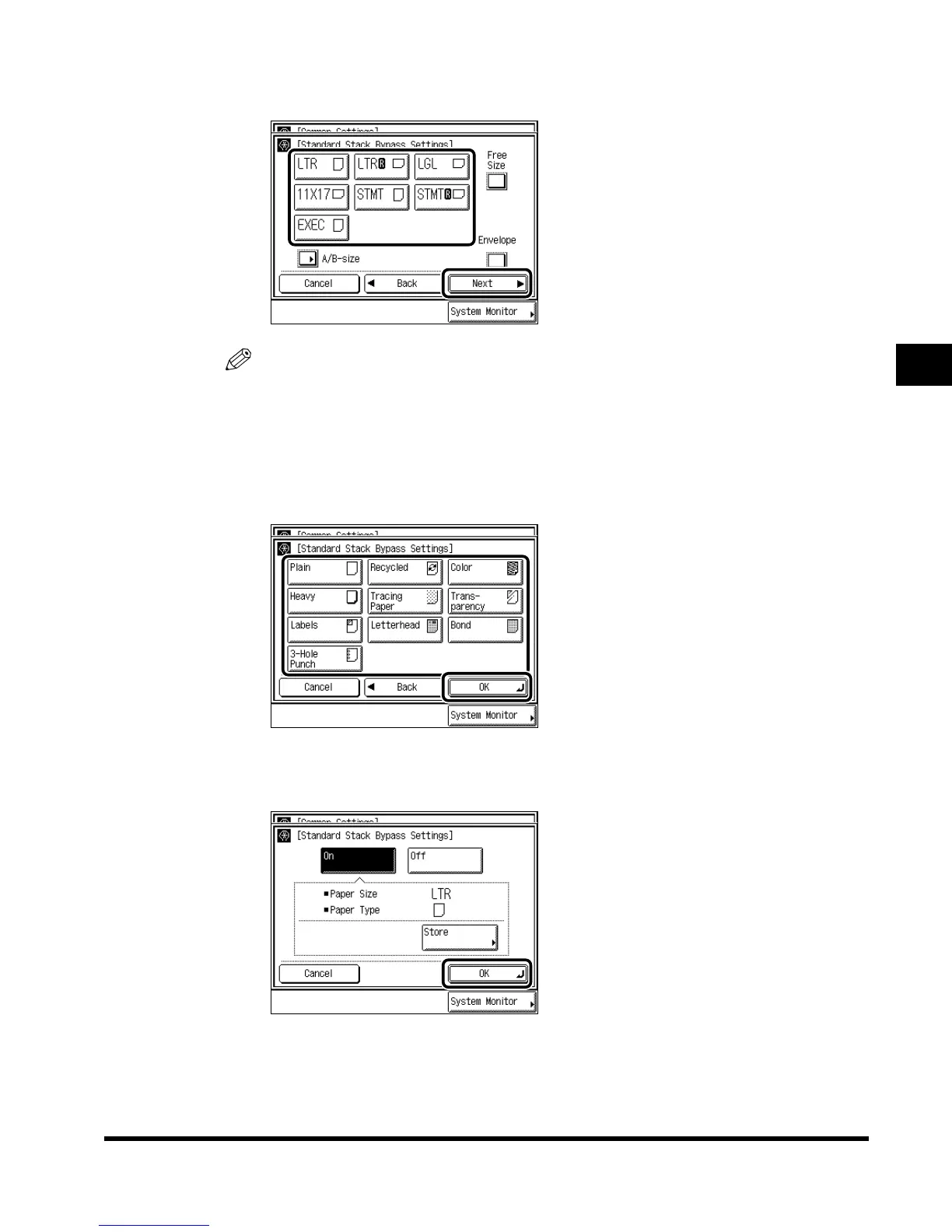
Select the paper size, and press “Next.”
NOTE
•
To select inch size paper, press “A/B-size.”
•
To select free size paper, press “Free Size.”
•
To select envelope, press “Envelope” and select the type of envelope. Then press “OK”
→
“OK,” and proceed to step 5.
4
Select the paper type, and press “OK.”
5
Press “OK.”
E1L_US_U_.book-INDEX Page 25 Wednesday, May 23, 2001 11:40 PM












 To Next Page