4
Setting the Department ID Management
4-14
System Manager Settings
4
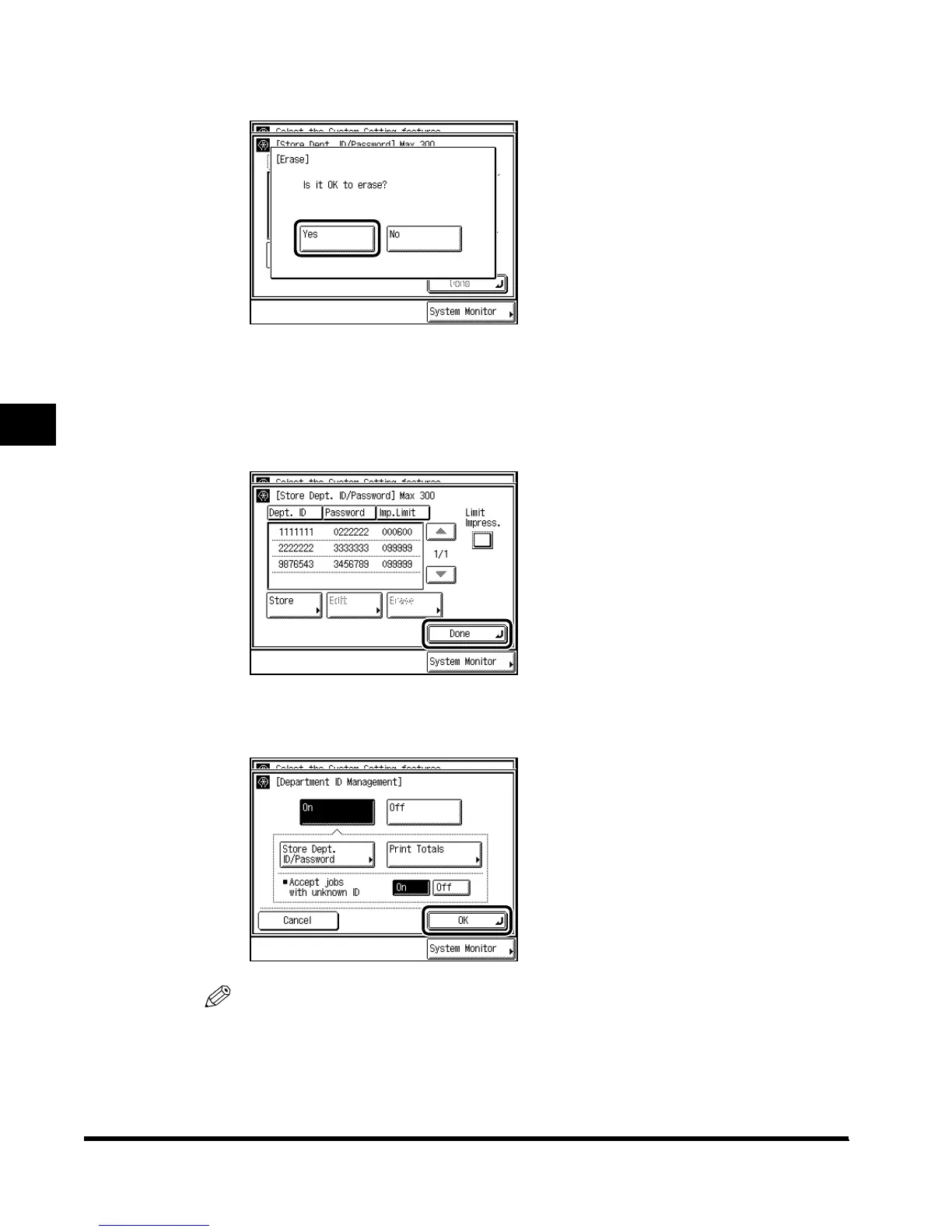
Press “Yes.”
If you do not want to erase the Department and its settings, press “No.”
The selected Department and its settings are erased.
5
Press “Done.”
6
Press “OK.”
NOTE
•
When you select “On,” Department ID Management is enabled. (See ‘Entering the
Department ID and Password,’ on p. 1-36.)
E1L_US_U_.book-INDEX Page 14 Wednesday, May 23, 2001 11:40 PM












 To Next Page