4
Setting the Department ID Management
4-16
System Manager Settings
3
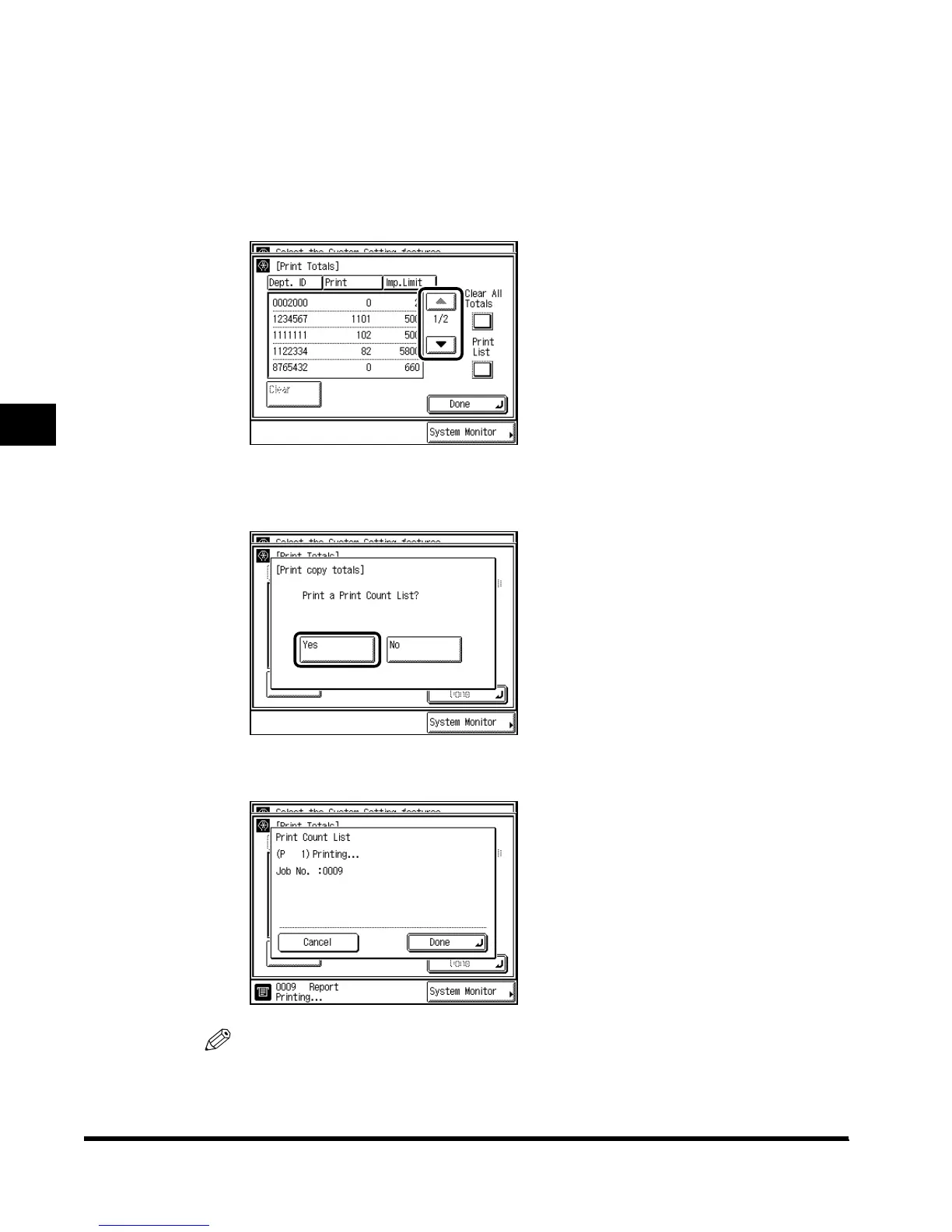
Check or print the print totals count.
The print total with the Department ID left blank (not displayed) is the total of prints from a
computer not correspondent with a stored Department ID (unknown ID).
● If you only want to check the counter:
Press “▼” or “▲” to display the desired Department, and check the print totals.
● If you want to print the displayed list:
Select “Print List.” When the screen below appears, press “Yes.”
If you do not want to print the list, press “No.”
The screen below appears during printing.
NOTE
•
To cancel printing, press “Cancel.”
•
To close the screen, press “Done.”
E1L_US_U_.book-INDEX Page 16 Wednesday, May 23, 2001 11:40 PM












 To Next Page