6
Clearing Paper Jams
6-7
Troubleshooting
2
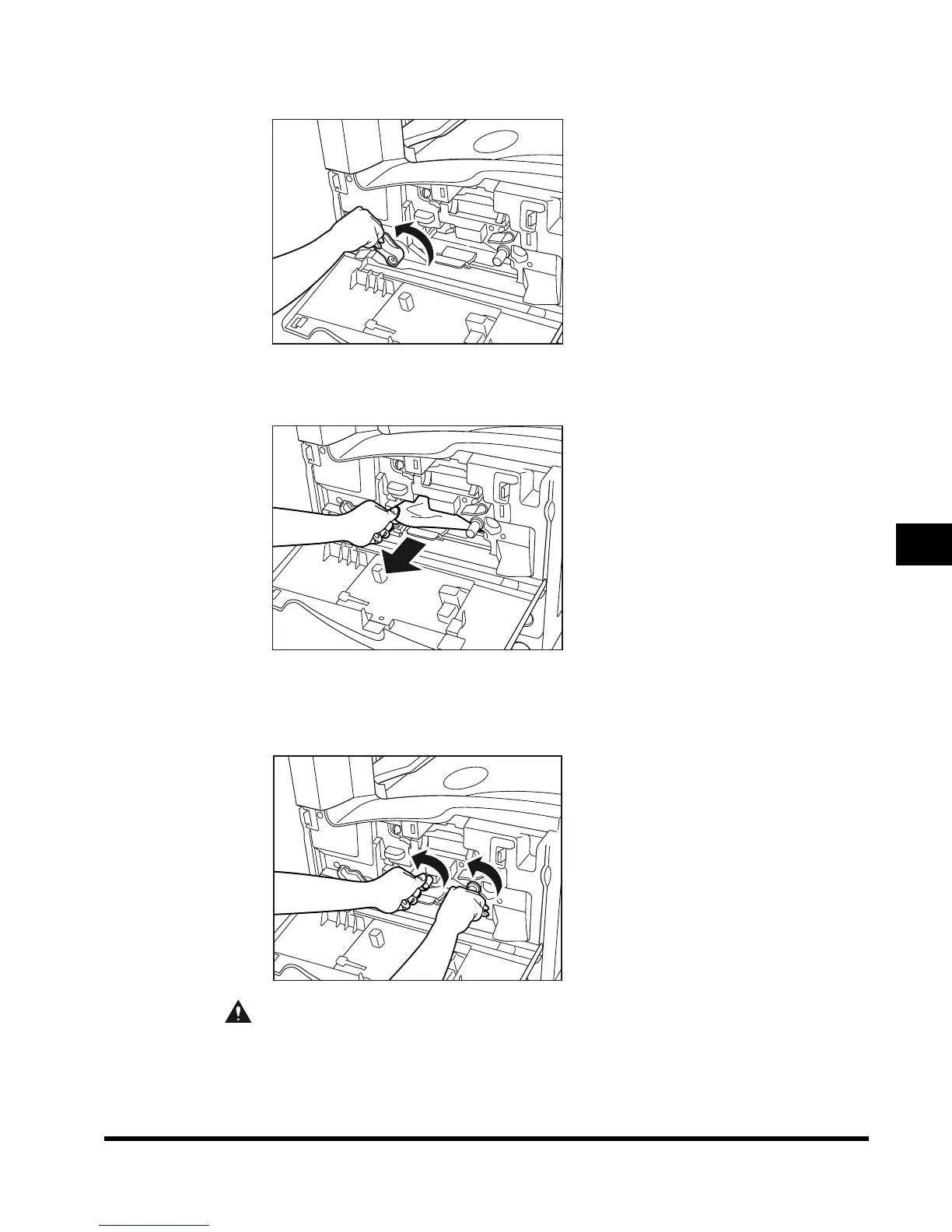
Move the green lever in the direction of the arrow.
3
Remove any paper remaining in the fixing unit.
4
Turn the green knob (2 places) in the direction of the arrow, and
remove any jammed paper.
CAUTION
• The parts located around the knob are subject to high temperatures. When
removing jammed paper, take care not to touch anything in this area except the
green knob.
E1L_US_U_.book-INDEX Page 7 Wednesday, May 23, 2001 11:40 PM












 To Next Page