6
Clearing Paper Jams
6-12
Troubleshooting
2
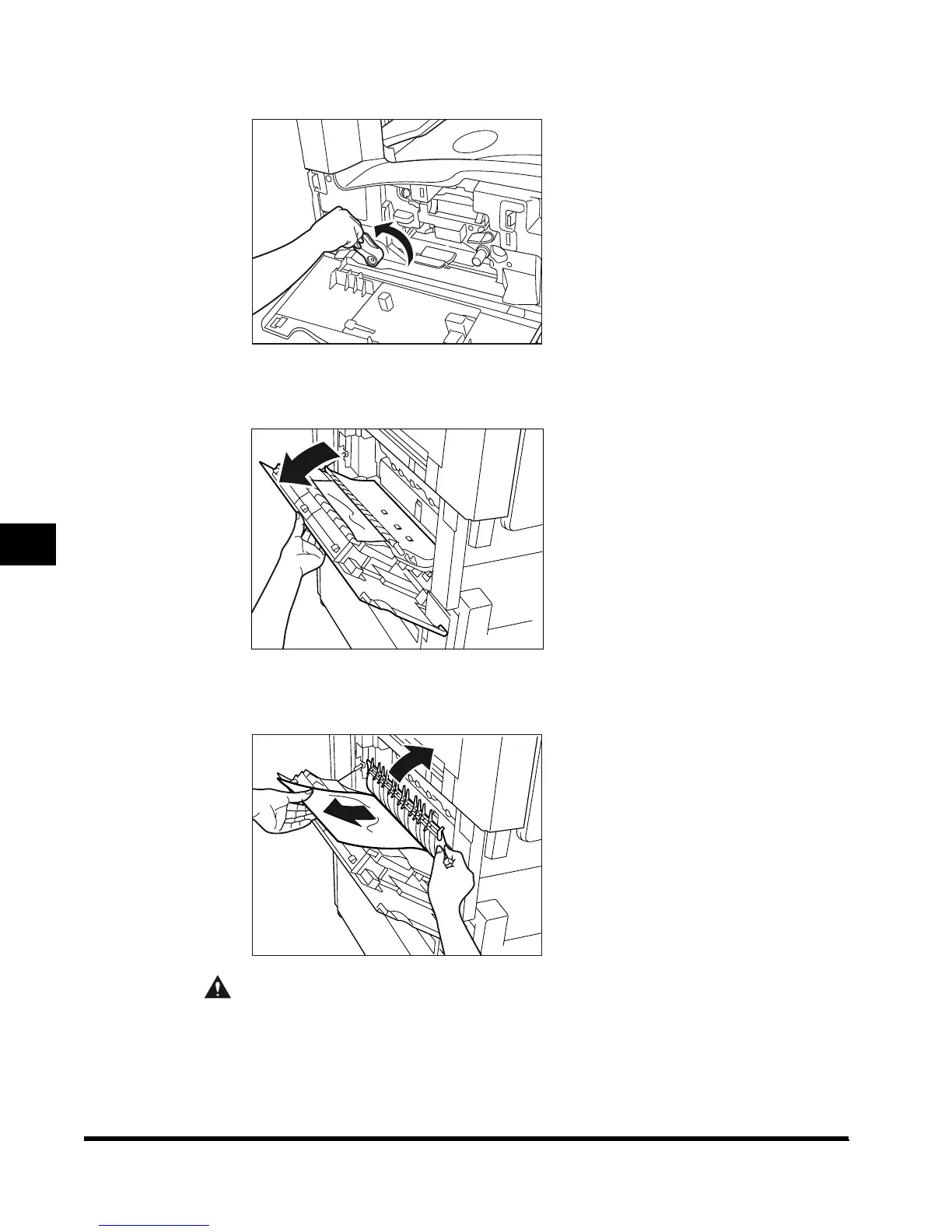
Move the green lever in the direction of the arrow.
3
Open the lower left cover of the main unit.
4
Lift the green lever and remove any jammed paper.
CAUTION
• The parts located around the green lever of the exit slot guide are subject to high
temperatures. When removing jammed paper, take care not to touch anything in this
area except the lever.
E1L_US_U_.book-INDEX Page 12 Wednesday, May 23, 2001 11:40 PM












 To Next Page