6
Clearing Paper Jams
6-21
Troubleshooting
5
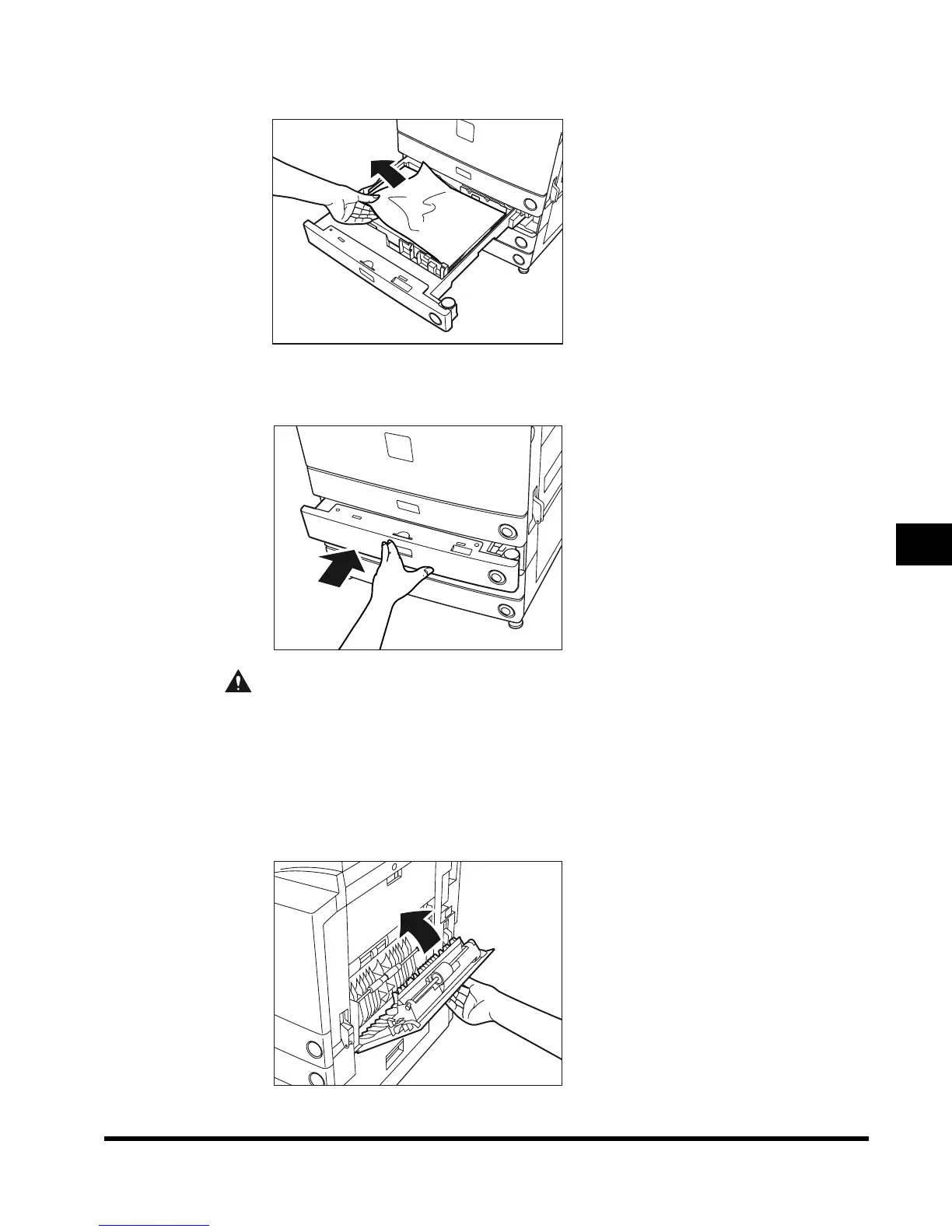
Remove any jammed paper.
6
Return the paper drawer to its original position.
CAUTION
• When returning the paper drawer to the original position, be careful not to get your
fingers caught, as this may result in personal injury.
7
Close the upper right cover of the main unit.
When the Paper Deck-L1 (option; see p. 7-9) is attached, reattach the paper deck to the
main unit.
E1L_US_U_.book-INDEX Page 21 Wednesday, May 23, 2001 11:40 PM












 To Next Page