6
Frequently Occurring Paper Jams
6-24
Troubleshooting
3
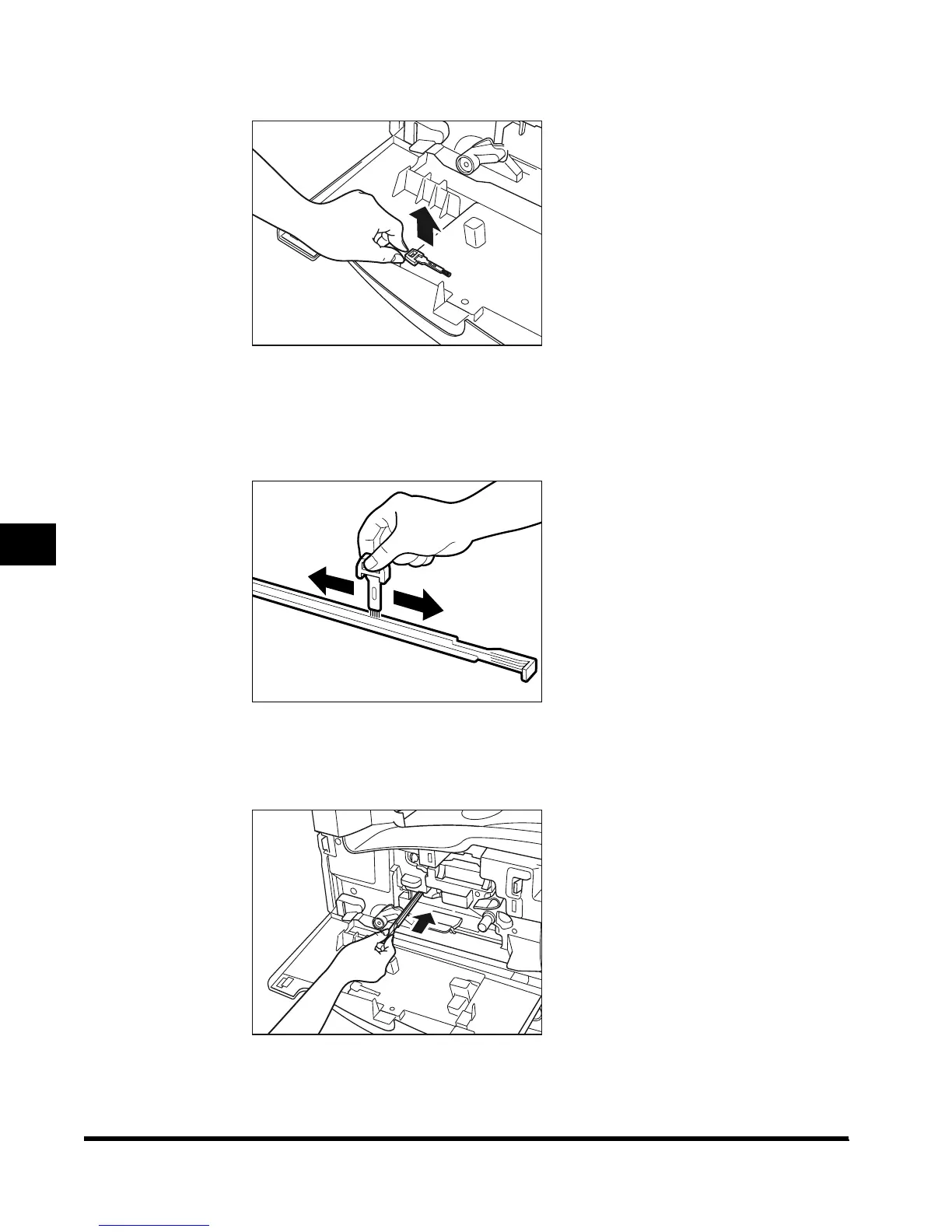
Remove the static charge eliminator cleaning brush.
4
Clean the groove of the static charge eliminator, as shown below.
Insert the brush of the static charge eliminator cleaner into the groove, and carefully move
the brush back and forth in the groove.
5
When you have finished cleaning the groove, return the static
charge eliminator to its original position.
E1L_US_U_.book-INDEX Page 24 Wednesday, May 23, 2001 11:40 PM












 To Next Page