7
Envelope Feeder Attachment-B1
7-20
Handling Options
2
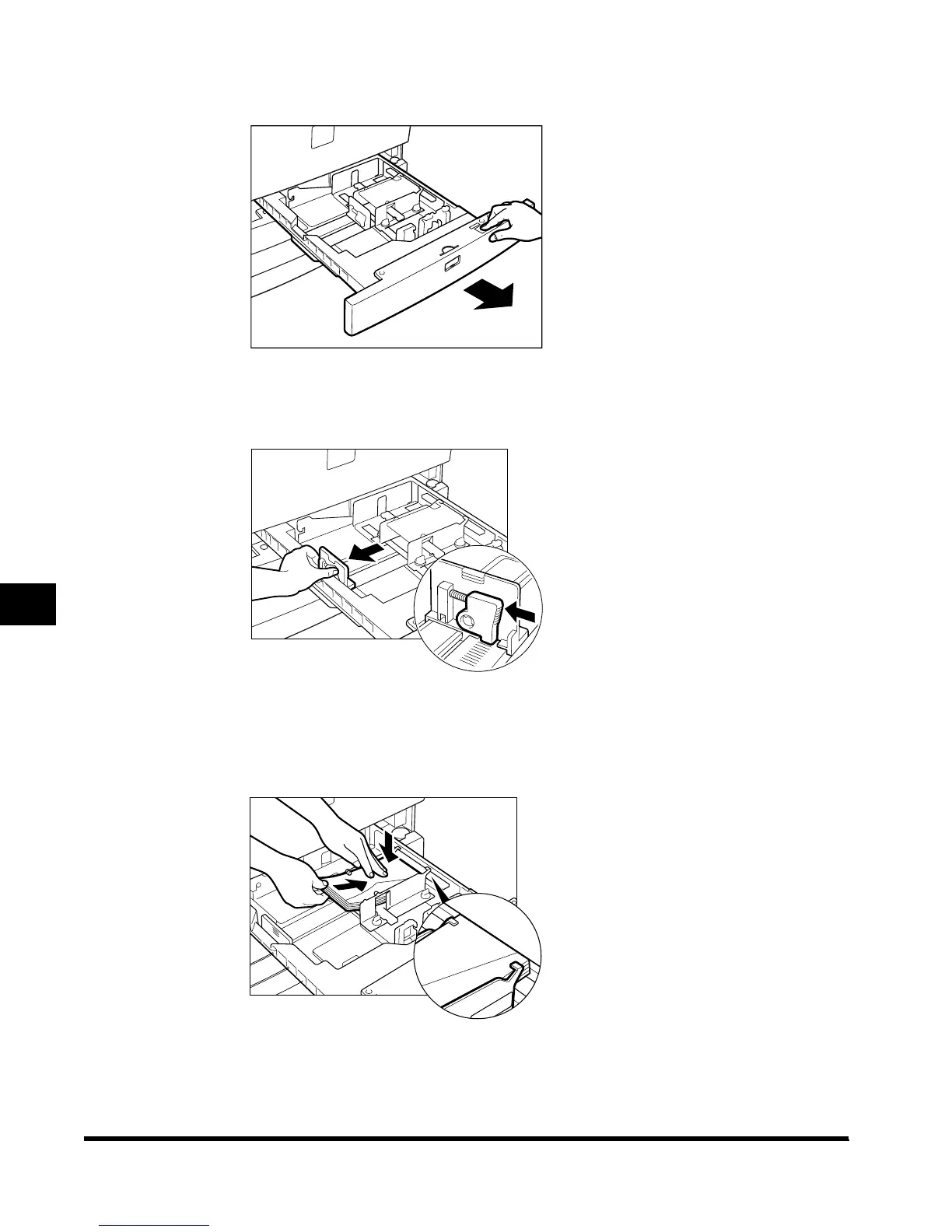
Grip the handle and pull out the paper drawer until it stops.
3
Squeeze the lever on the left guide, as shown below, and pull out the
left guide as far as possible.
4
Load the envelopes with the printing surface face down, as shown
below. While doing so, keep the receptacle pressed down by
pressing down on the envelopes as you load them.
E1L_US_U_.book-INDEX Page 20 Wednesday, May 23, 2001 11:40 PM












 To Next Page