7
Saddle Finisher-G1/Puncher Unit-K1
7-55
Handling Options
CAUTION
• When removing jammed originals or paper, take care not to cut your hands on the edges
of the original or paper.
• When removing jammed paper or when inspecting the inside of the machine, do not allow
necklaces, bracelets, or other metal objects to touch the inside of the machine, as this
may result in burns or electrical shock.
• When removing paper which has become jammed inside the machine, take care not to
allow the toner on the jammed paper to come into contact with your hands or clothing, as
this will dirty your hands or clothing. If they become dirty, wash them immediately with
cold water. Washing with warm water will set the toner and make it impossible to remove
the toner stains.
• When removing paper which has become jammed inside the machine, remove the
jammed paper gently to prevent the toner on the paper from scattering and entering your
eyes or mouth. If toner enters your eyes or mouth, wash them immediately with cold water
and consult a physician.
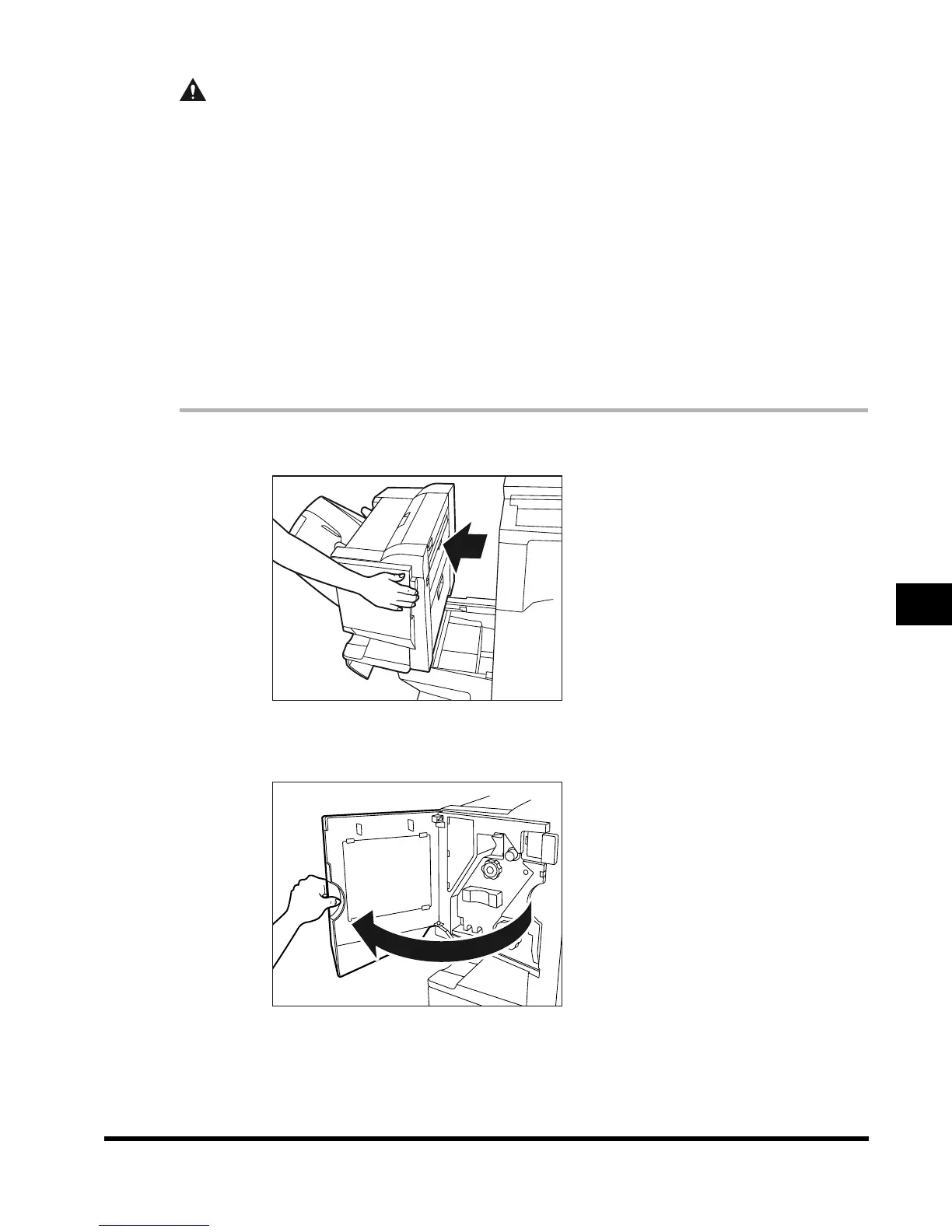
1
Move the finisher away from the main unit.
2
Open the front cover of the finisher.
E1L_US_U_.book-INDEX Page 55 Wednesday, May 23, 2001 11:40 PM












 To Next Page