7
Saddle Finisher-G1/Puncher Unit-K1
7-71
Handling Options
2
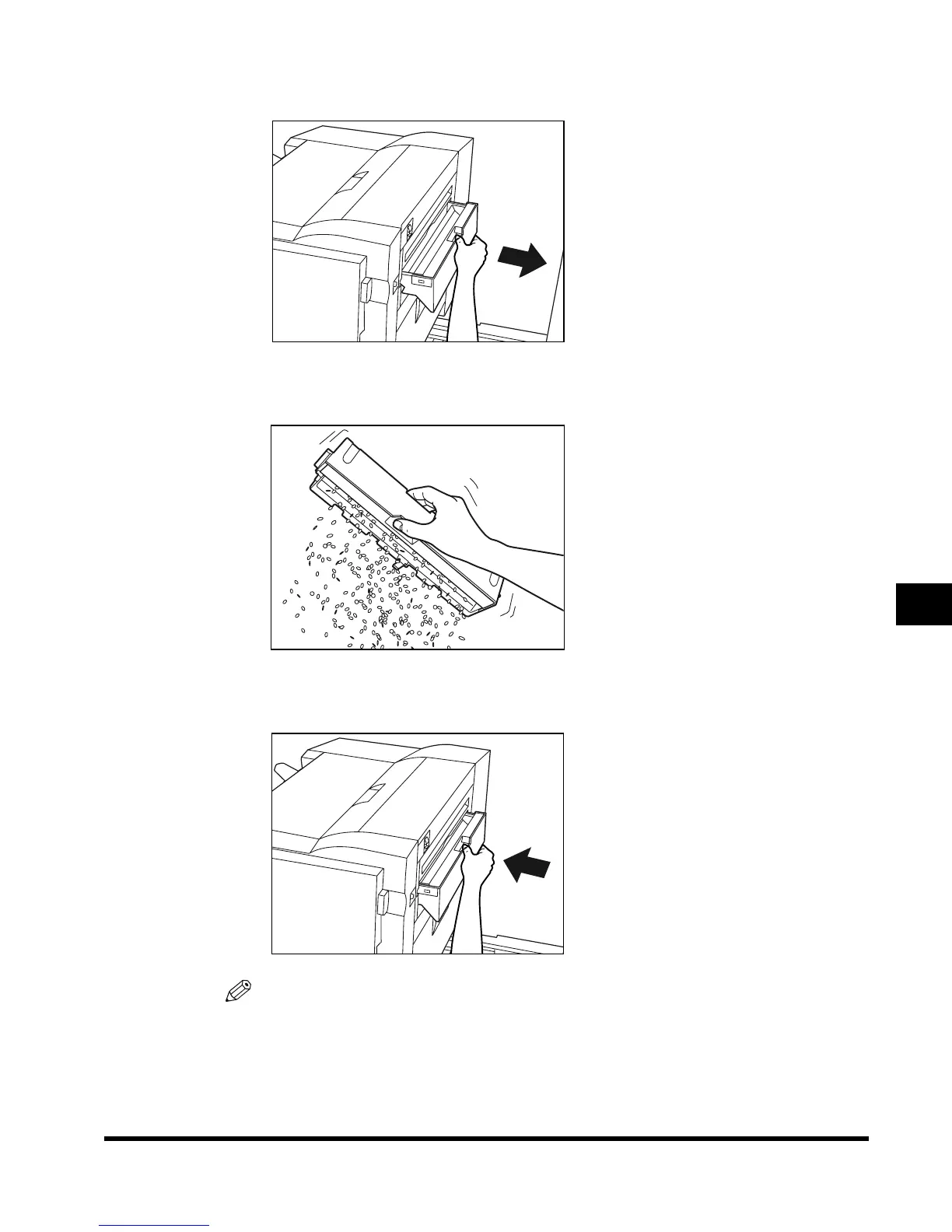
Pull out the punch waste tray.
3
Discard the punch waste.
4
Return the punch waste tray to its original position.
NOTE
•
If the tray is not returned securely in place, you cannot make prints with the Hole Punch mode
selected.
E1L_US_U_.book-INDEX Page 71 Wednesday, May 23, 2001 11:40 PM





 To Next Page