7
Inner 2way Tray-A1
7-76
Handling Options
3
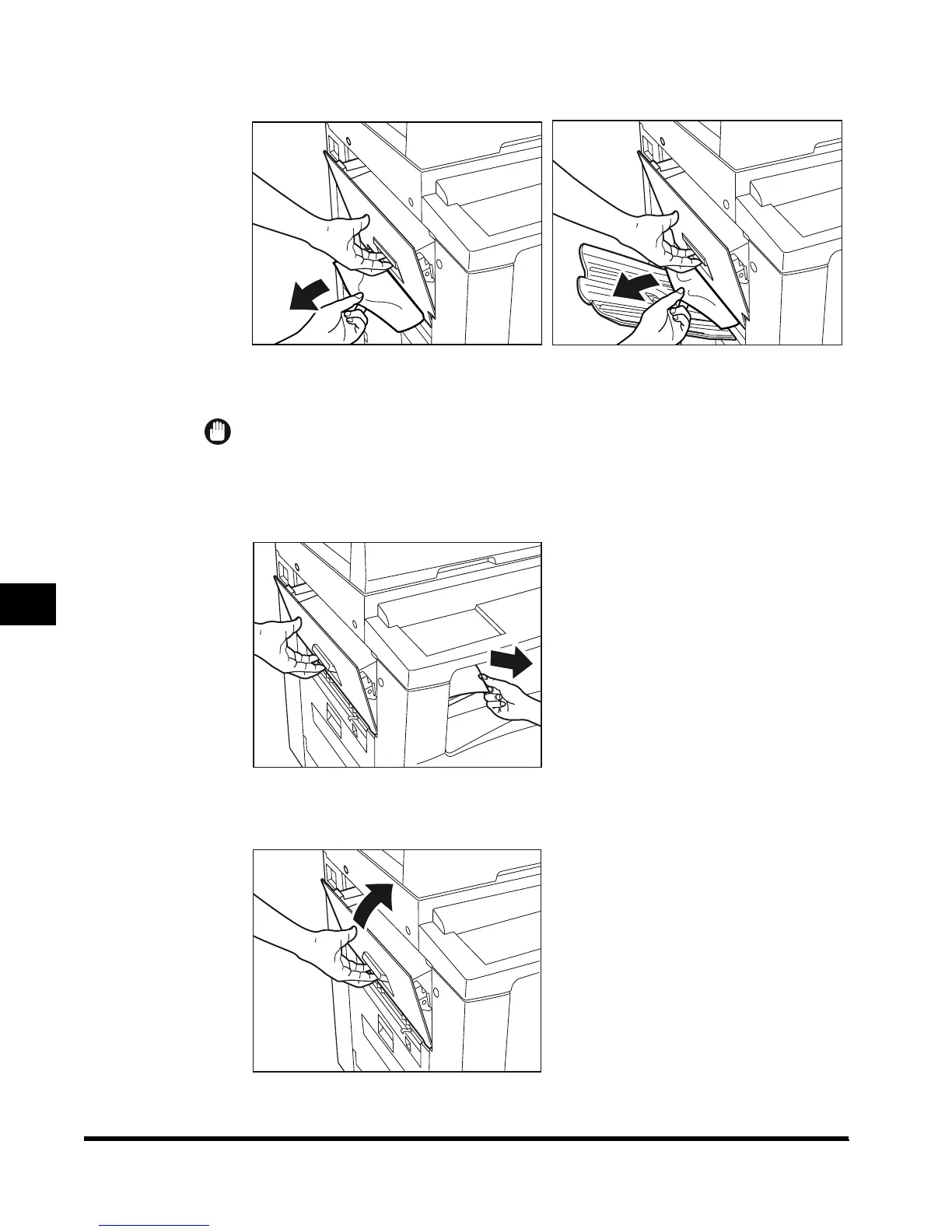
Remove visible jammed paper with the left cover open.
IMPORTANT
•
When removing the jammed paper, hold the left cover.
4
Remove any jammed paper.
5
Close the upper left cover.
When Saddle Finisher-G1 is
attached
When Copy Tray-F1 is attached
E1L_US_U_.book-INDEX Page 76 Wednesday, May 23, 2001 11:40 PM












 To Next Page