7
Card Reader-C1
7-90
Handling Options
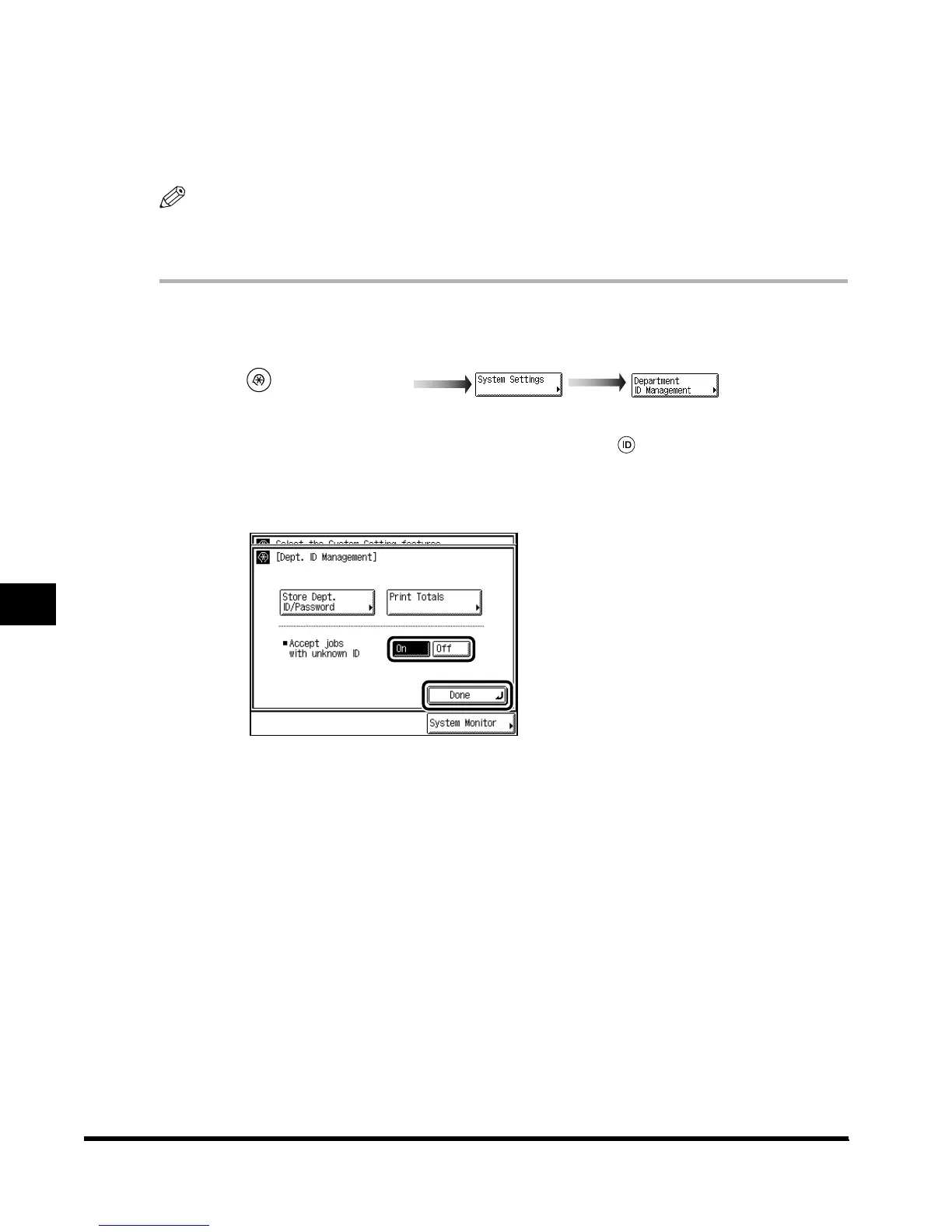
Specifiying Whether or Not to Accept Print Jobs of Unknown ID
You can specify whether or not to print documents from a computer not correspondent with a
stored department ID.
NOTE
•
“Accept jobs with unknown ID” is displayed only when the Printer Kit is attached.
•
The default setting is “On.”
1
Call up the desired screen as follows:
When the System Manager ID/ Password is set, enter the System Manager ID and System
Password after pressing “System Settings.” Then, press (ID).
2
Select “On” or “Off,” and press “Done.”
When printing documents from a computer not correspondent with a stored department ID,
press “On.”
When not printing documents from a computer not correspondent with a stored
department ID, press “Off.”
3
Press “Done.”
Repeat this procedure.
The display returns to the Basic Features screen.
(Additional Functions)
E1L_US_U_.book-INDEX Page 90 Wednesday, May 23, 2001 11:40 PM












 To Next Page