✂ ✂ ✂ ✂ ✂ ✂
System Management Mode of the imageRUNNER 3300/2800/2200
XVIII
When Department ID Management is not Enabled
1
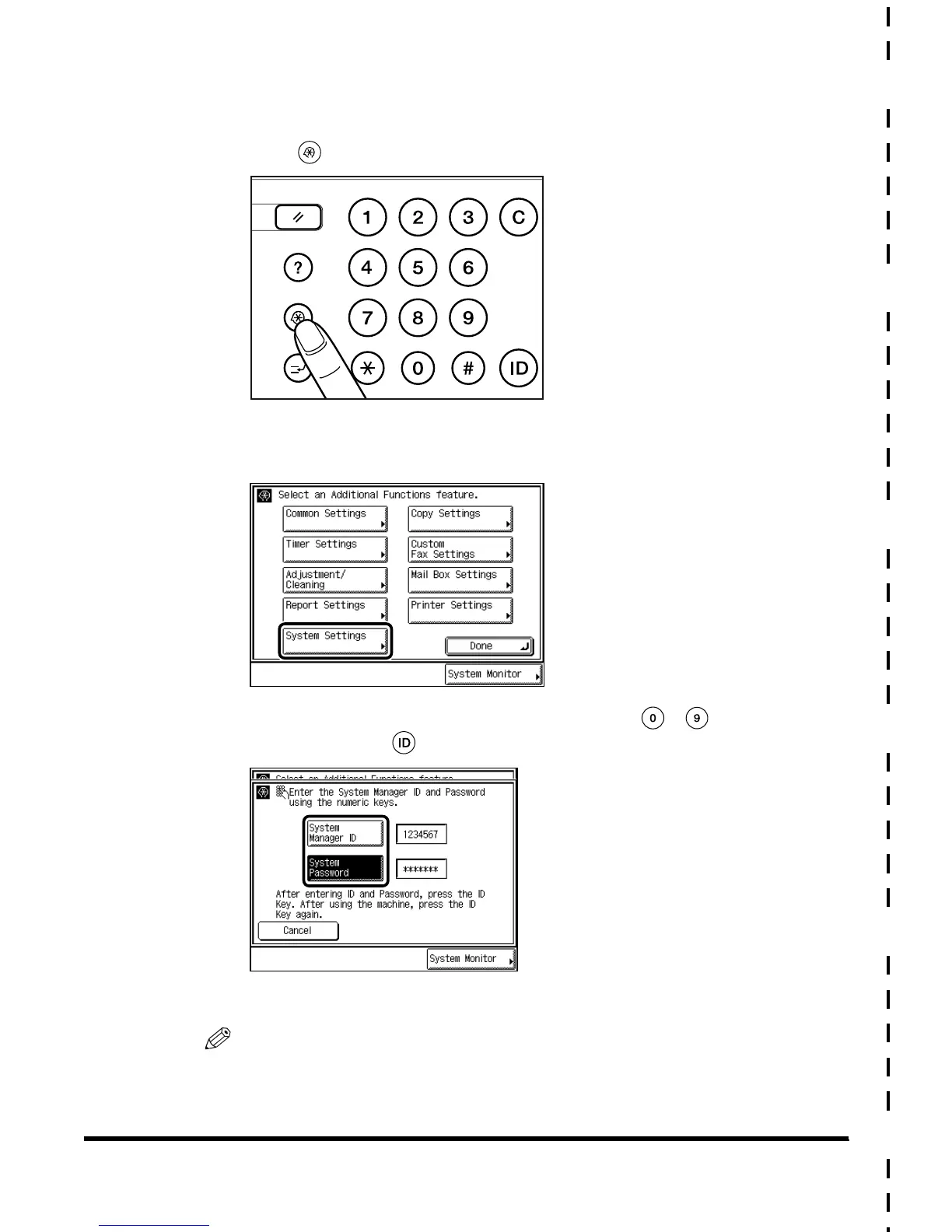
Press (Additional Functions).
2
Press “System Settings.”
3
Enter the System Manager ID/Password with - (numeric
keys), and press (ID).
The machine enters the System Management mode.
NOTE
•
Enter the number stored under System Manager Settings. (See ‘Setting Specifications of
System Manager Settings (System Manager Settings),’ on p. 4-2.)
Reset
Clear
Guide
GHI
PRS
JKL
ABC
TUV
MNO
DEF
WXY
OPER
Additional Functions
Interrupt
E1L_US_U_.book-INDEX Page XVIII Wednesday, May 23, 2001 11:40 PM












 To Next Page