1
Available Paper Stock
1-60
Before You Start Using This Machine
IMPORTANT
•
* When the Envelope Feeder Attachment-B1 (option) is attached to paper drawer 1, envelopes can
be loaded.
NOTE
•
For details of how to load paper, see the following pages:
-Paper drawer: ‘Loading Paper,’ on p. 5-2.
-Paper Deck: ‘Loading Paper in the Paper Deck,’ on p. 7-12.
- Stack bypass: ‘Making Prints Using the Stack Bypass,’ on p. 1-46.
•
Paper drawers 3, 4 and Paper Deck are optional.
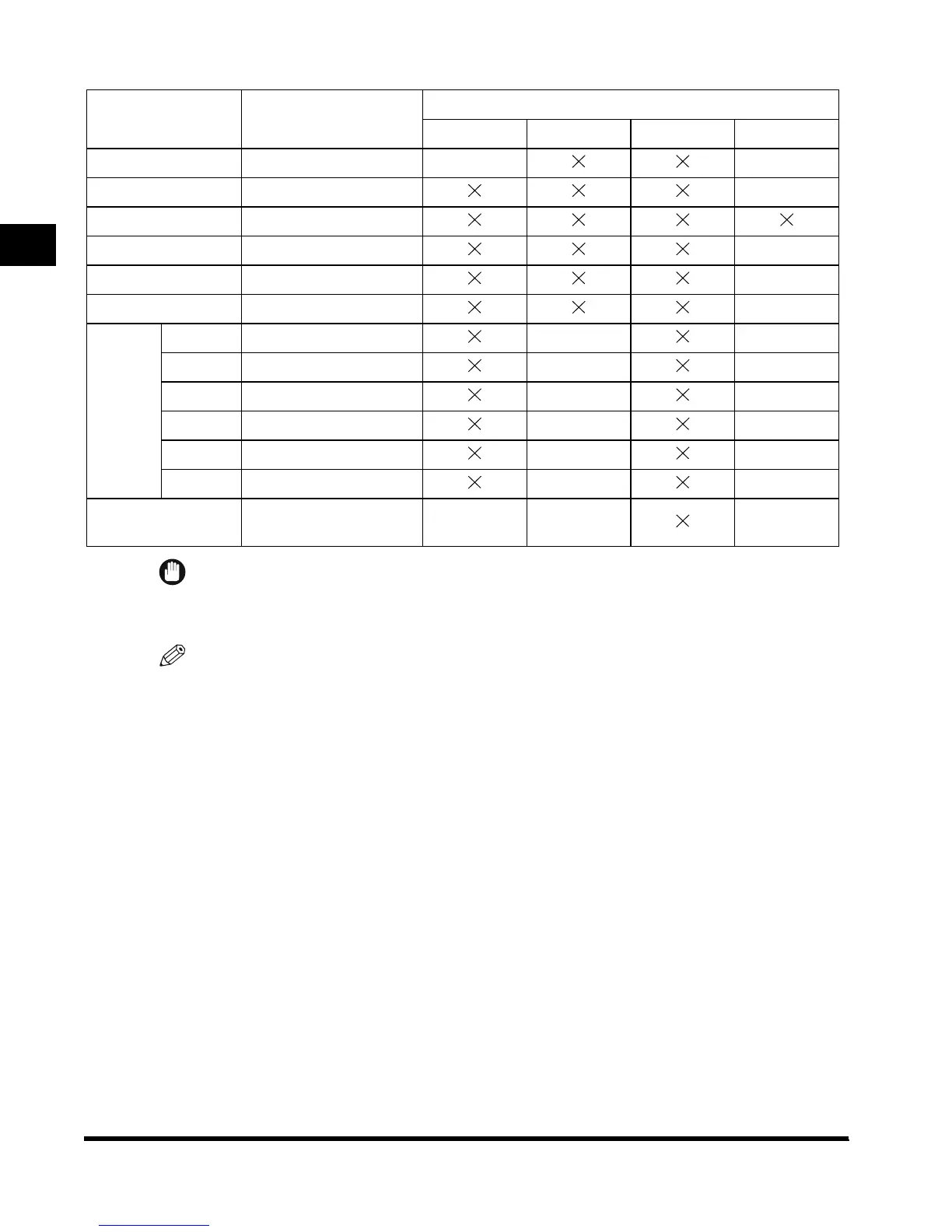
Paper Size Length x Width
Available Loading Place (Paper Set Place)
Paper drawer 1, 3 Paper drawer 2, 4
Stack Bypass Paper Deck
11" x 17" 11" x 17" – –
LGL 8-1/2" x 14" –
LTR 11" x 8-1/2"
LTRR 8-1/2" x 11" –
STMT 8-1/2" x 5-1/2" –
STMTR 5-1/2" x 8-1/2" –
Envelope
*
ISO-B5
7" x 9-7/8"(176 x 250mm)
––
ISO-C5
6-3/8" x 9"(162 x 229mm)
––
COM 10
4-1/8" x 9-1/2"(104.7 x 241.3mm)
––
DL
4-3/8" x 8-5/8"(110 x 220mm)
––
Monarch
3-7/8" x 7-1/2"(98.4 x 190.5mm)
––
Yougata 4 4-1/8" x 9-1/4"(105 x 235mm)
––
Free Size
(4" x 5-7/8" to 11-3/4" x 17")
(100 x 148mm to 297 x 432mm)
– – –
E1L_US_U_.book-INDEX Page 60 Wednesday, May 23, 2001 11:40 PM












 To Next Page