EasyManua.ls Logo

Ctera C200 - Page 126

Ctera C200
370 pages
Print Icon
To Next Page IconTo Next Page
To Previous Page IconTo Previous Page
Loading...
9 Sharing Files
116 CTERA C-Series User Guide
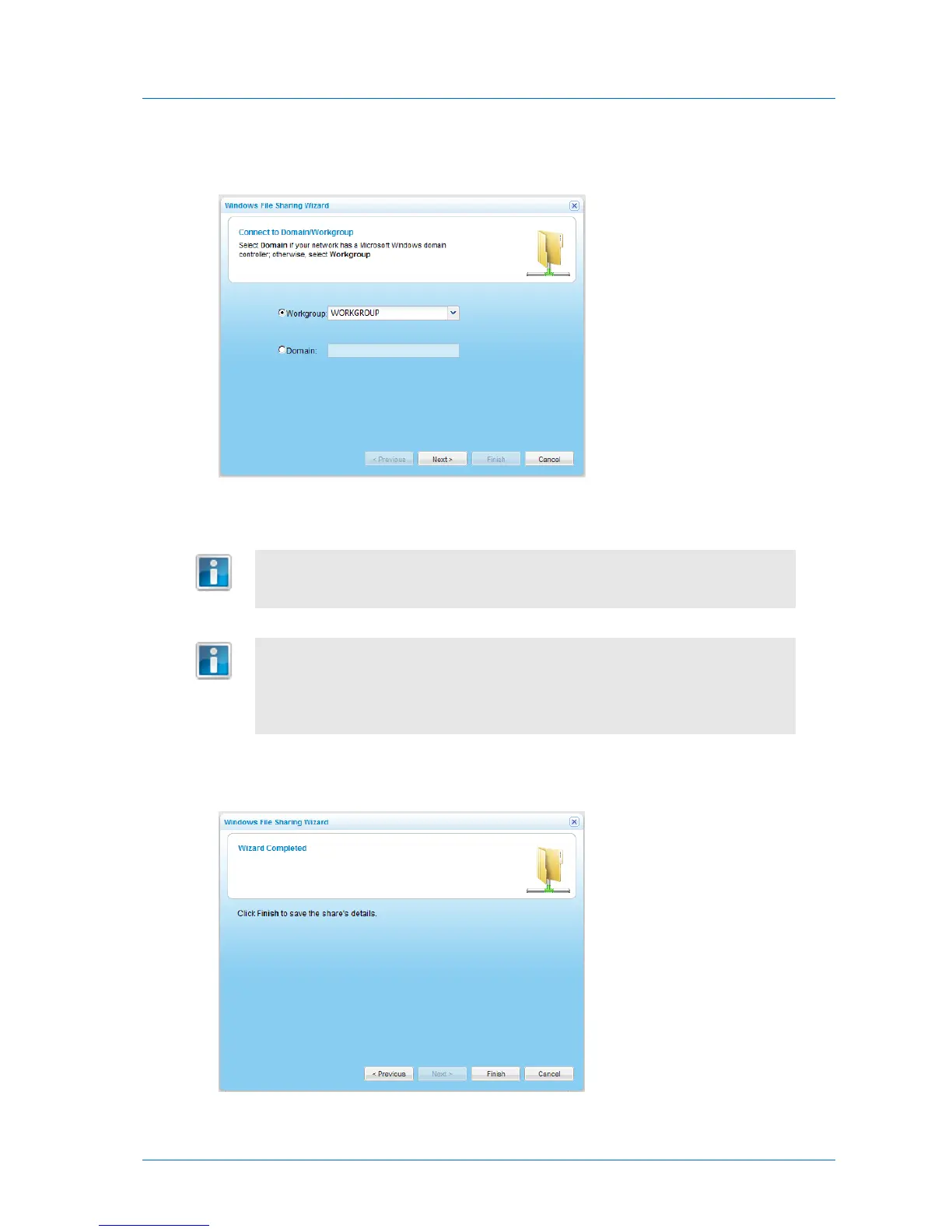
The Windows File Sharing Wizard opens, displaying the Connect to Domain/Workgroup
dialog box.
3 Choose Workgroup, then type the name of the workgroup.
Tip
You must assign this same workgroup name to all of the computers in the
network.
Tip
In most Windows versions, the default workgroup name is WORKGROUP.
In Windows XP Home edition, the default workgroup name is MSHOME.
The appliance automatically scans for available workgroups in the LAN. The
results of these scans can be selected from the Workgroup drop-down list.
4 Click Next.
The Wizard Completed screen appears.
5 Click Finish.

Table of Contents

Other manuals for Ctera C200

Related product manuals