4.3.2 System Service Configuration
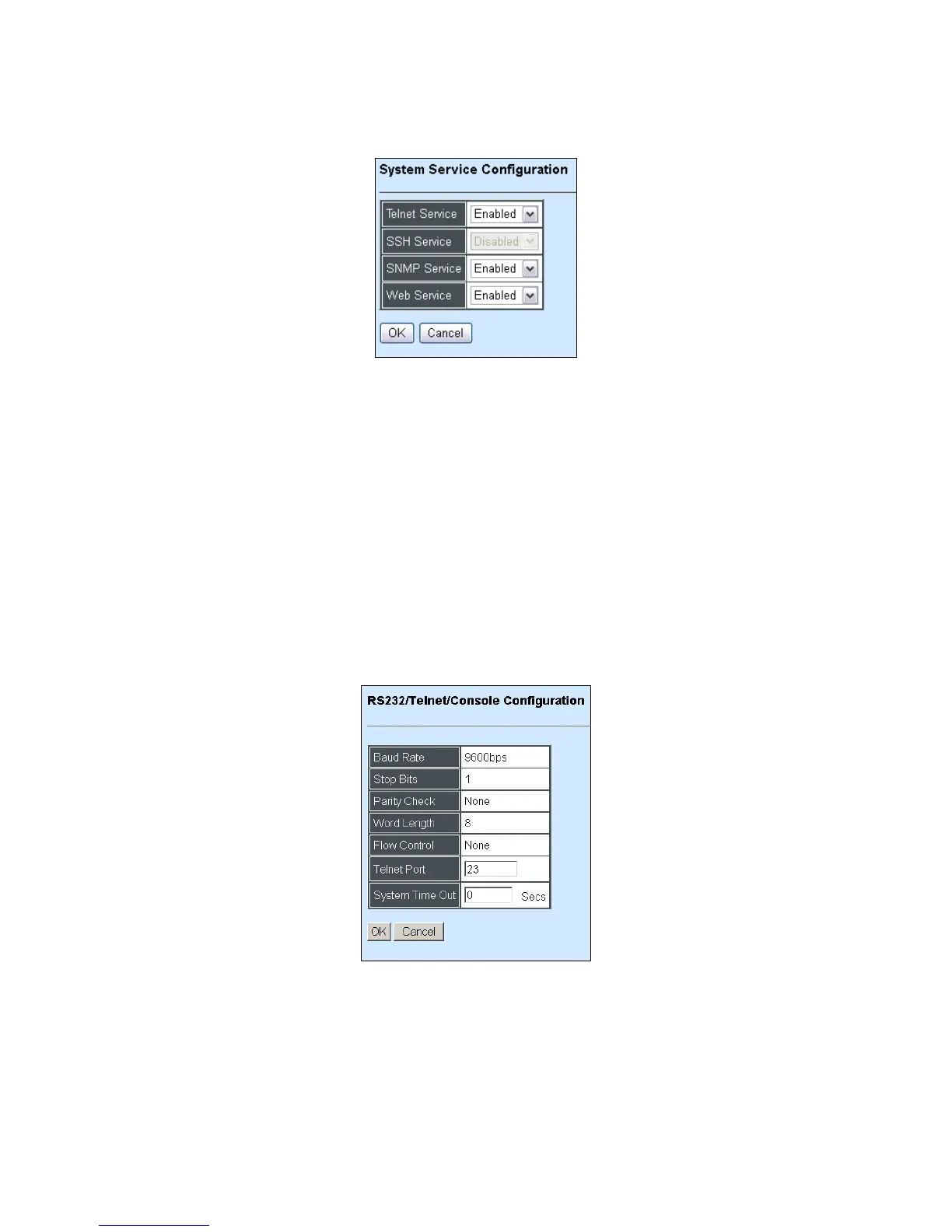
Click the option System Service Configuration from the Network Management menu and then
the following screen page appears.
Telnet Service: To enable or disable the Telnet Management service.
SSH Service: To enable or disable the SSH Management service. To enable SSH Service,
Telnet Service must be disabled.
SNMP Service: To enable or Disable the SNMP Management service.
Web Service: To enable or Disable the Web Management service.
4.3.3 RS232/Telnet/Console Configuration
Click the option RS232/Telnet/Console Configuration from the Network Management menu
and then the following screen page appears.
Baud Rate: 9600 bps, RS-232 setting, view-only field.
Stop Bits: 1, RS-232 setting, view-only field.
Parity Check: None, RS-232 setting, view-only field.
Word Length: 8, RS-232 setting, view-only field.
Flow Control: None, RS-232 setting, view-only field.



 To Next Page
 Loading...


