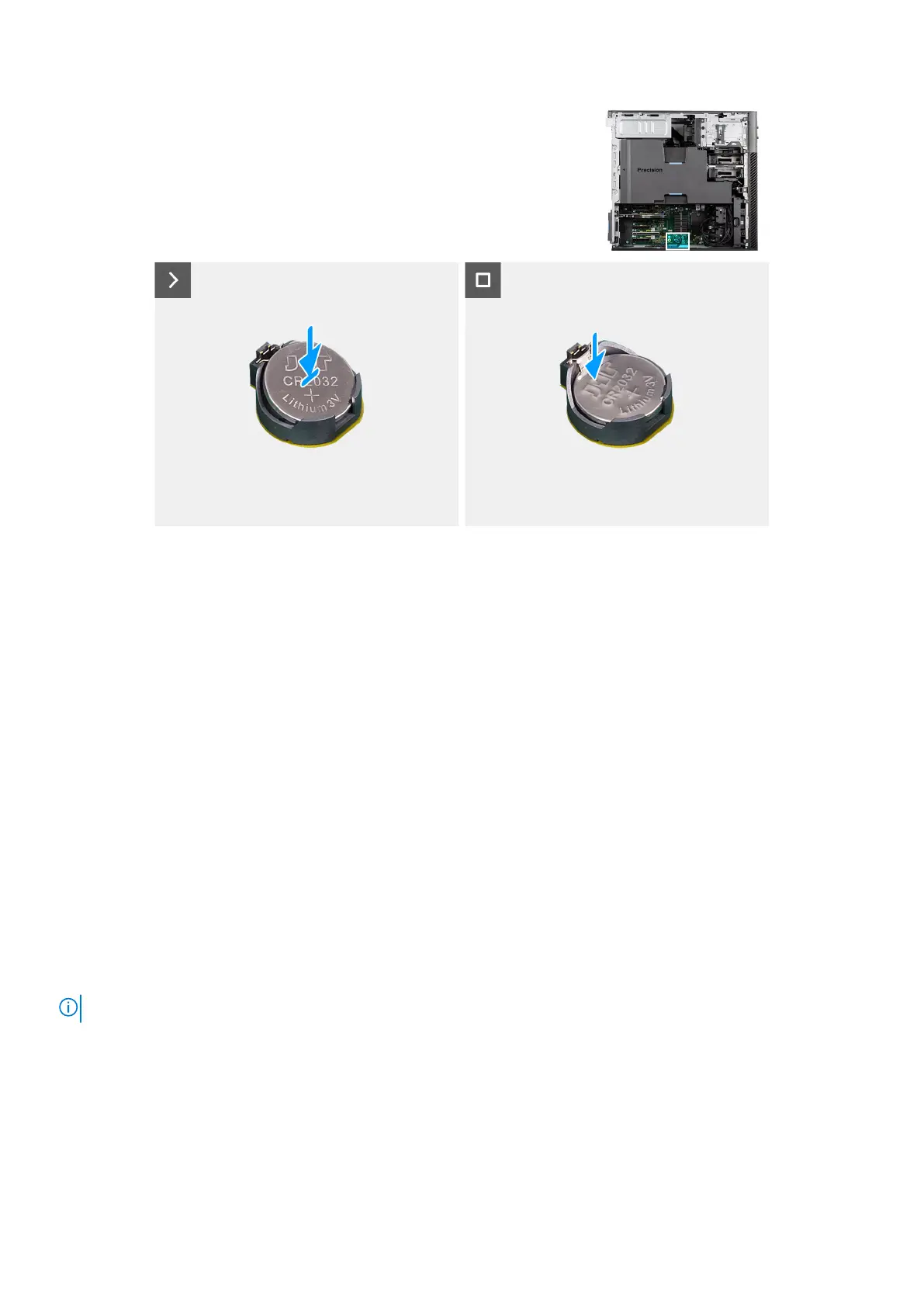
Figure 86. Installing the coin-cell battery
Steps
Insert the coin-cell battery into the socket with the positive side (+) label facing up and snap the battery in the socket.
Next steps
1. Install the side cover.
2. Follow the procedure in after working inside your computer.
Memory modules
Removing the memory module
Prerequisites
1. Follow the procedure in Before working inside your computer.
2. Remove the side cover.
3. Remove the air shroud.
About this task
The following image indicates the location of the memory module and provides a visual representation of the removal procedure.
NOTE: Precision 7875 Tower supports eight DIMM slots with a memory size of up to 256 GB per slot.
114 Removing and installing Customer Replaceable Units (CRUs)














 To Next Page