Views of Precision 7875 Tower
Front
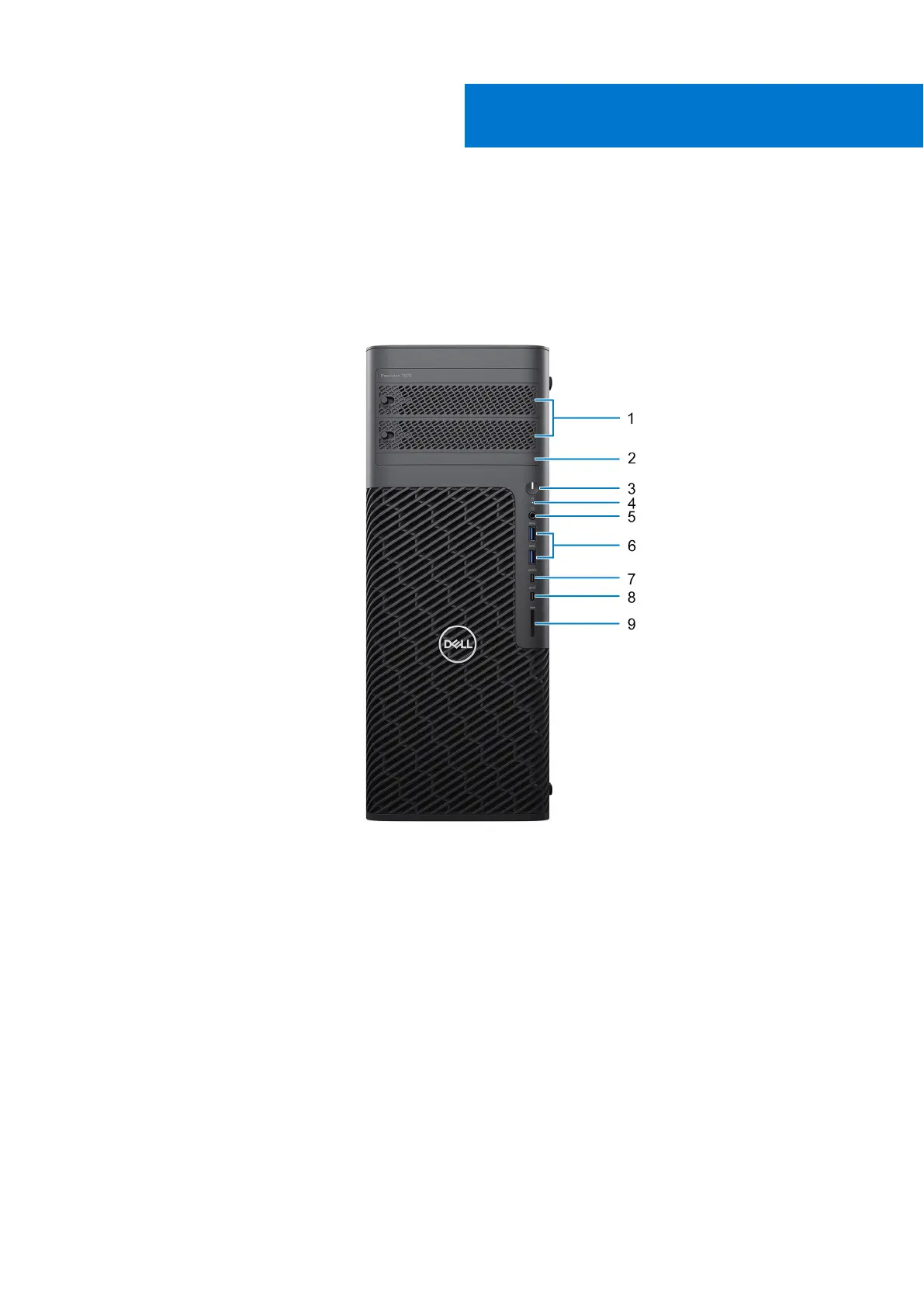
Figure 1. Image: Front view
1. Externally facing flex bays - SATA/M.2 (optional)
2. Slim optical-drive (optional)
3. Power button
4. Hard-drive activity light
5. Headset (headphone and microphone combo) port
6. Two USB 3.2 Gen 1 ports
7. USB 3.2 Gen 2 Type-C port with PowerShare
8. USB 3.2 Gen 2 Type-C port
9. SD-card slot
1
8 Views of Precision 7875 Tower














 To Next Page