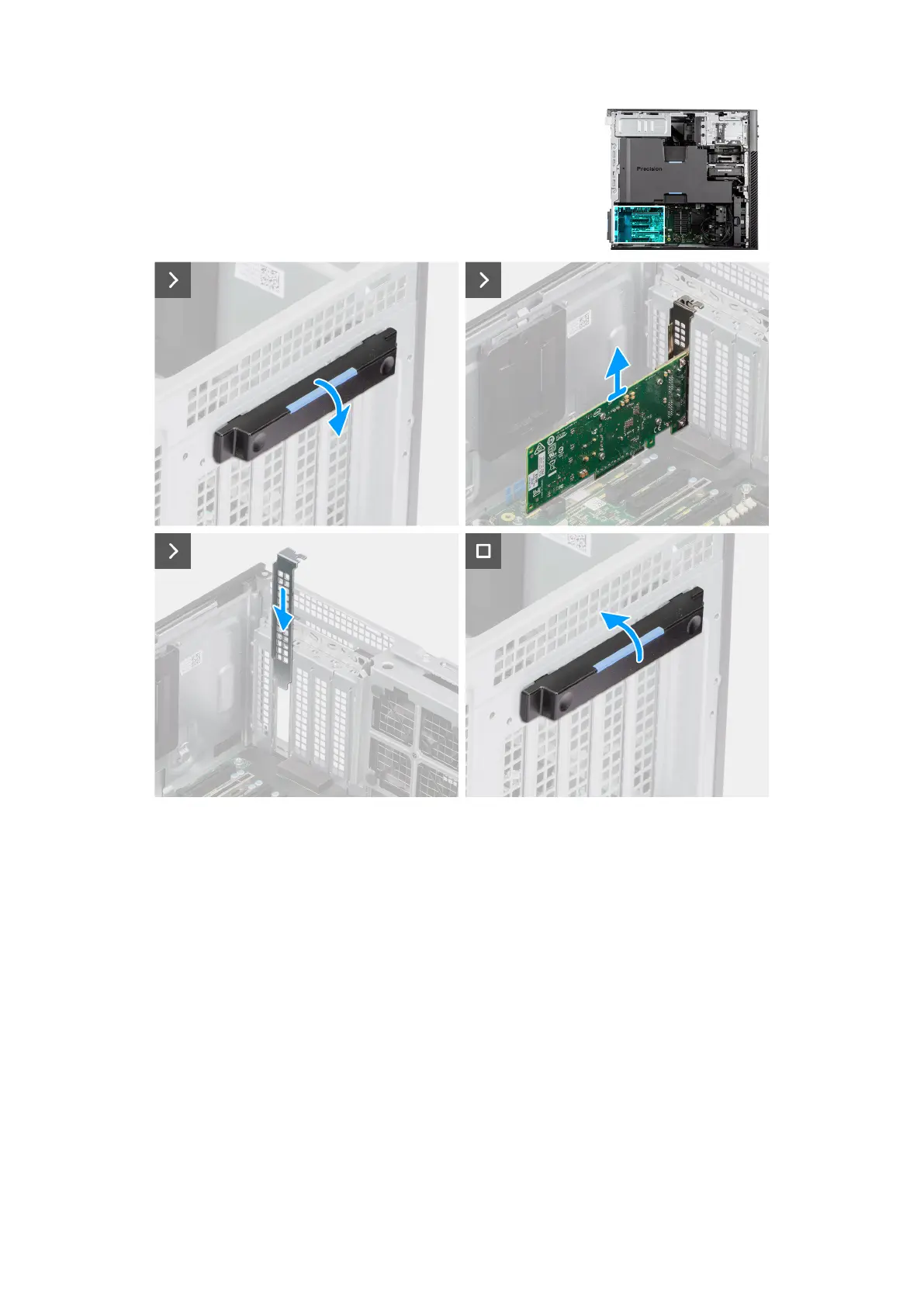
Figure 72. Removing the 10G NIC
Steps
1. Push the PCIe latch down and open the PCIe door.
2. Lift and remove the 10G network card away from the expansion-card slot.
3. Slide the PCIe filler door down and push the PCIe latch to close the PCIe door.
M.2 solid-state drive
Removing the M.2 2230 PCIe solid state drive
Prerequisites
1. Follow the procedure in Before working inside your computer.
2. Remove the side cover.
3. Remove the air shroud.
100
Removing and installing Customer Replaceable Units (CRUs)














 To Next Page