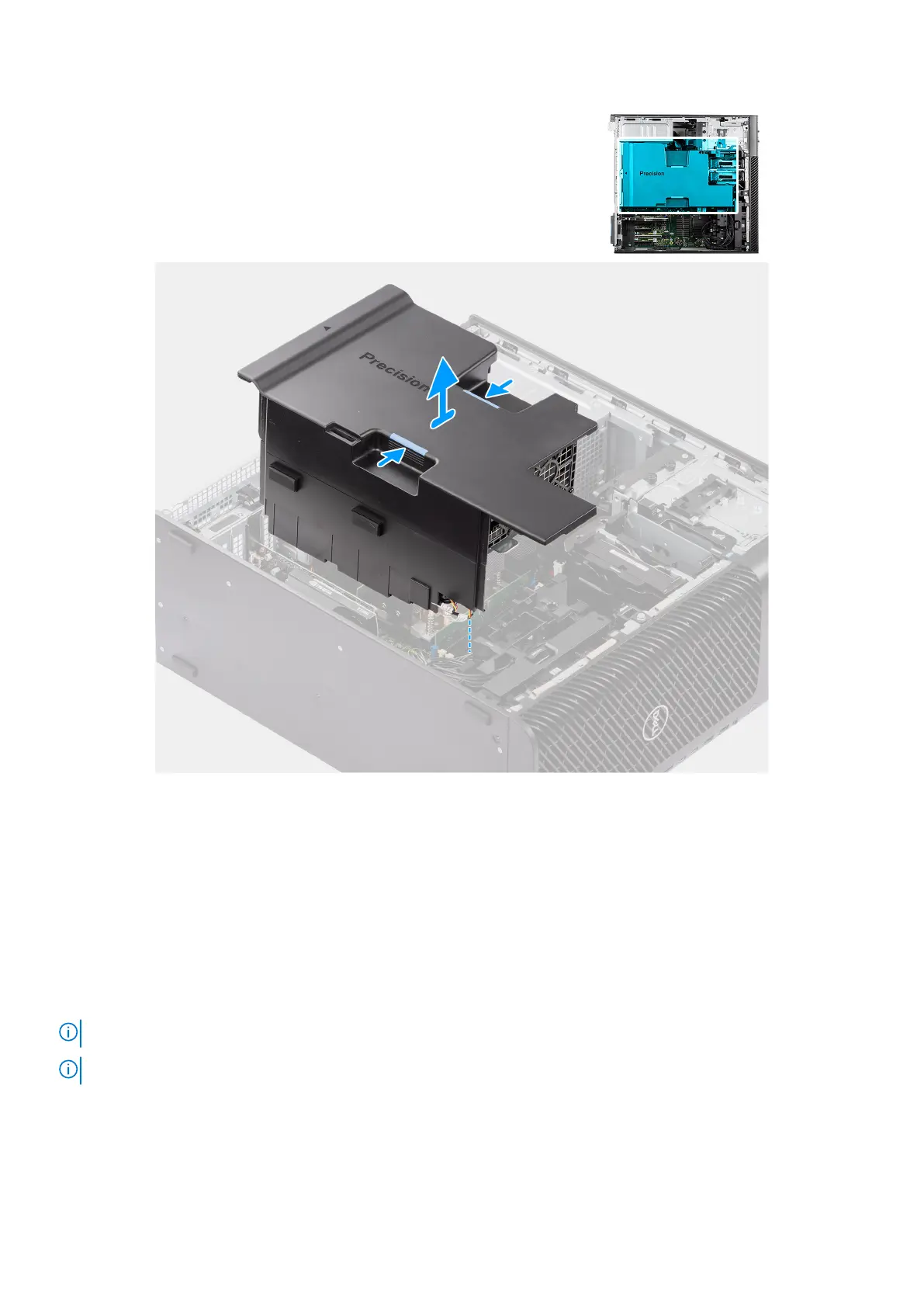
Figure 38. Removing the air shroud
Steps
1. Hold the air shroud at the gripping points.
2. Pull the air shroud upwards and out of the computer.
Installing the air shroud
Prerequisites
If you are replacing a component, remove the existing component before performing the installation procedure.
NOTE: Installing the air shroud connects the memory fan module as the memory fan module is integrated in the air shroud.
NOTE: Route all the power cables through the bottom air shroud cover to prevent the air shroud installation interference.
About this task
The following image indicates the location of the air shroud and provides a visual representation of the installation procedure.
64
Removing and installing Customer Replaceable Units (CRUs)














 To Next Page