10. Lift the power-supply unit off the chassis.
Installing the power-supply unit
Prerequisites
If you are replacing a component, remove the existing component before performing the installation procedure.
WARNING: The cables and ports on the back of the power-supply unit are color-coded to indicate the different
power wattage. Ensure that you plug in the cable to the correct port. Failure to do so may result in damaging the
power-supply unit and/or system components.
About this task
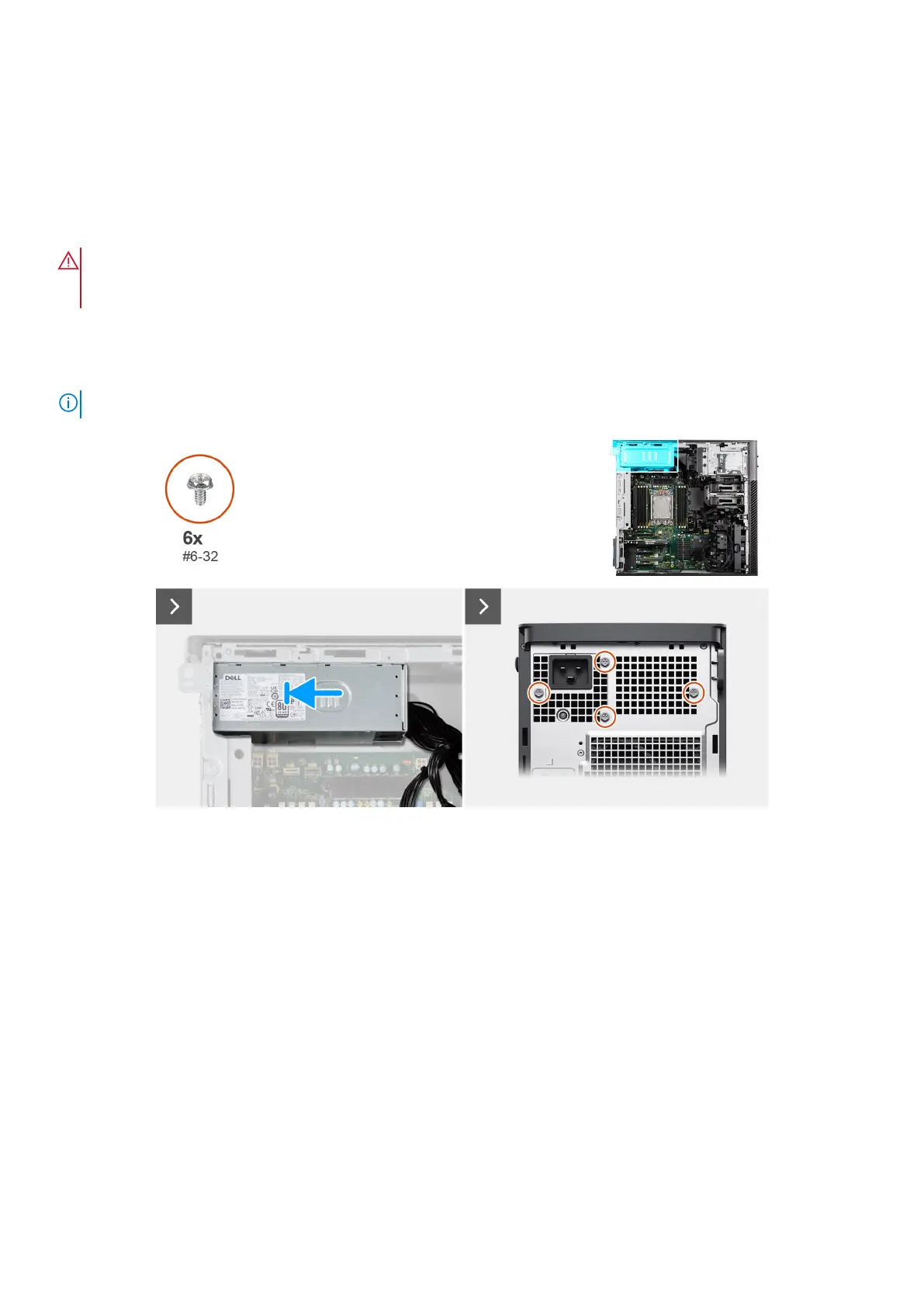
The following images indicate the location of the power-supply unit and provide a visual representation of the installation
procedure.
NOTE: There may be slight differences for your power-supply unit, depending on the configuration ordered.
Figure 114. Installing the power-supply unit
Removing and installing Field Replaceable Units (FRUs)
141














 To Next Page