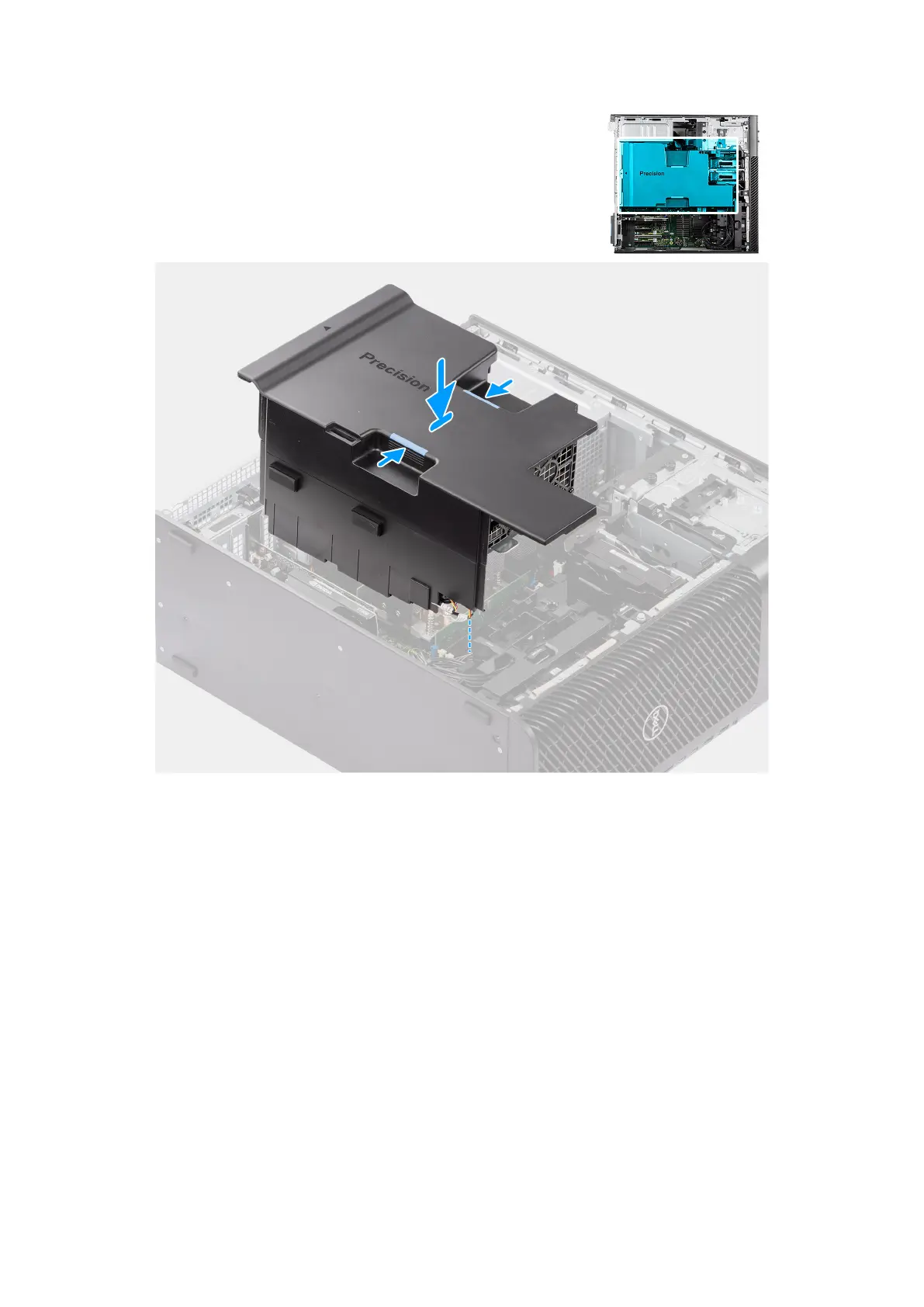
Figure 39. Installing the air shroud
Steps
1. Align the air shroud over the heat-sink and system board holding and seat it in the slot.
2. Press the air shroud down until the tabs click into place.
Next steps
1. Install the side cover.
2. Follow the procedure in After working inside your computer.
Slim optical-drive
Removing the slim optical-drive
Prerequisites
1. Follow the procedure in Before working inside your computer.
2. Remove the side cover.
Removing and installing Customer Replaceable Units (CRUs)
65














 To Next Page