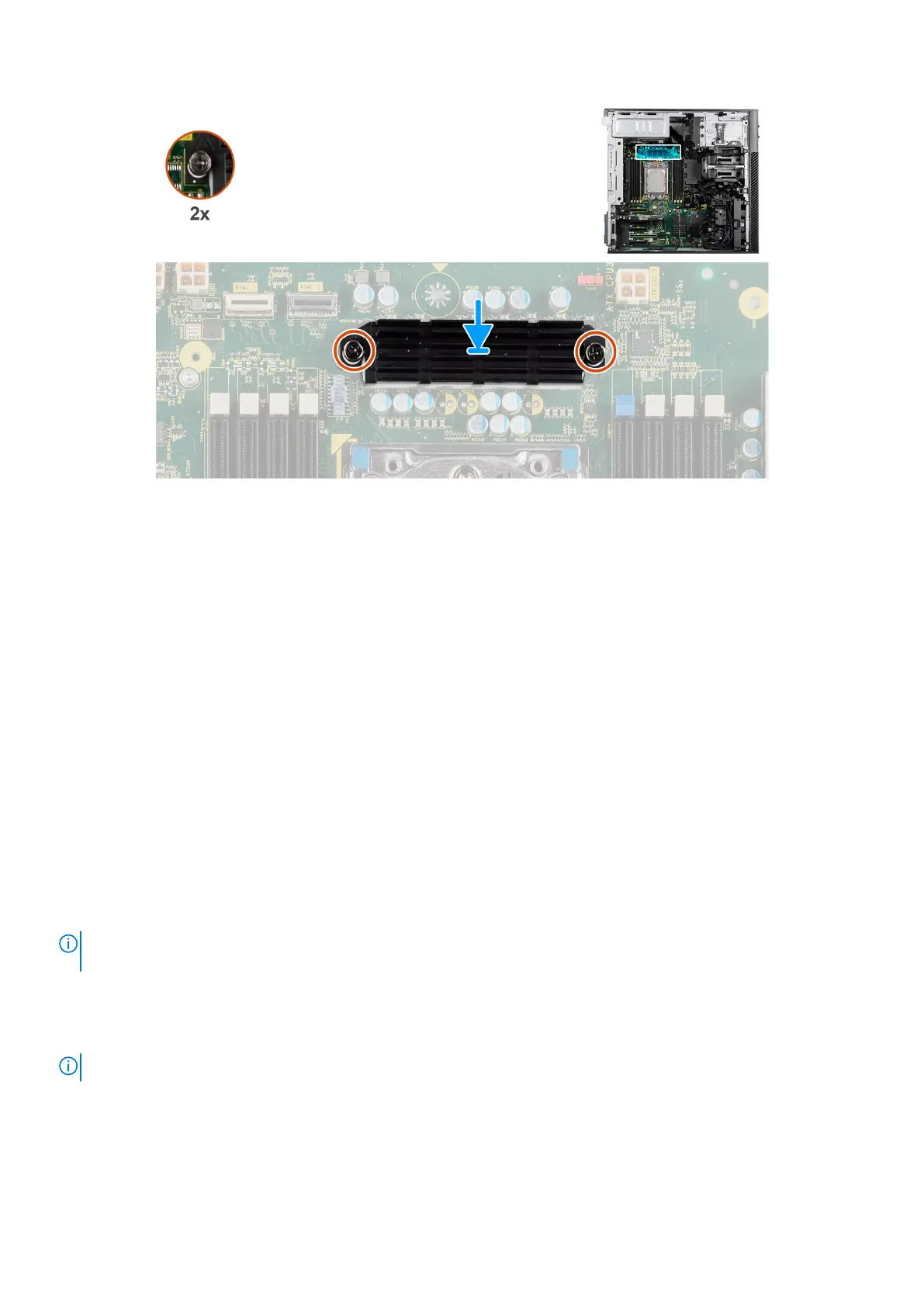
Figure 110. Installing the voltage-regulator heat sink - Location 2
Steps
1. Align the screw holes on the voltage-regulator heat sink to the screw holes on the system board.
2. Tighten the two captive screws to secure the voltage-regulator heat sink to the system board.
Next steps
1. Install the air shroud.
2. Install the side cover.
3. Follow the procedure in After working inside your computer.
Power-supply unit
Removing the power-supply unit
Prerequisites
1. Follow the procedure in Before working inside your computer.
2. Remove the side cover.
3. Remove the air shroud.
NOTE:
Note the routing of all cables as you remove them so that you can route them correctly while you are replacing the
power-supply unit.
About this task
The following images indicate the location of the power-supply unit and provide a visual representation of the removal
procedure.
NOTE: There may be slight differences for your power-supply unit, depending on the configuration ordered.
138 Removing and installing Field Replaceable Units (FRUs)














 To Next Page