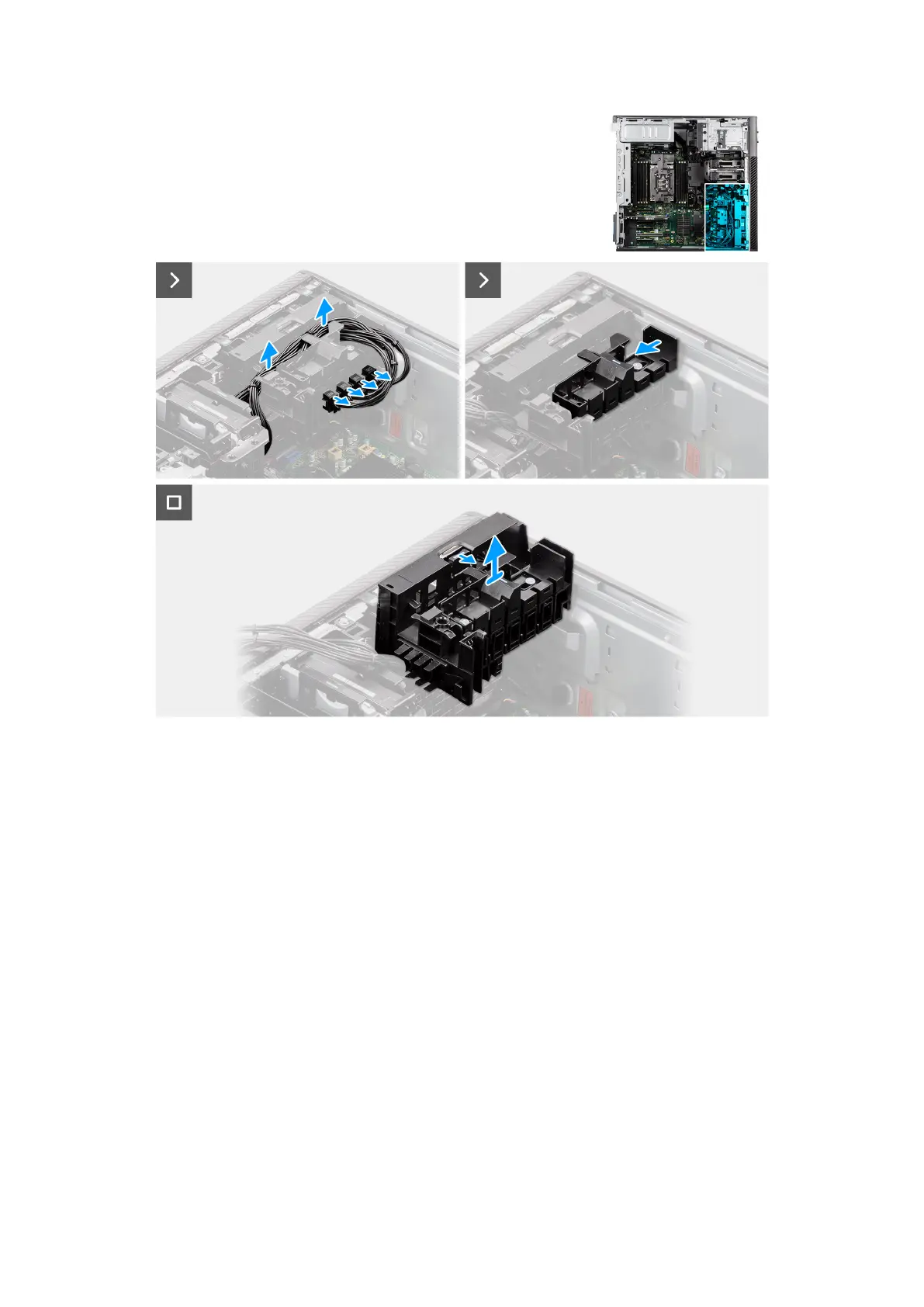
Figure 42. Removing the PCIe holder
Steps
1. Remove the PCIe-power cables from the slots on the PCIe holder.
2. Unroute the PCIe-power cables from the hooks on the chassis.
3. Push the PCIe holder lock into the unlock position.
4. Push the latch towards the PCIe holder lock, then lift and remove the PCIe holder out of the computer.
Installing the PCIe holder
Prerequisites
If you are replacing a component, remove the existing component before performing the installation procedure.
About this task
The following images indicate the location of the PCIe holder and provide a visual representation of the installation procedure.
68
Removing and installing Customer Replaceable Units (CRUs)














 To Next Page