Steps
1. Position the front bezel to align the tabs on the bezel with the slots on the chassis.
2. Press the bezel until the tabs clicks into place.
3. Slide the latch to lock the bezel to the chassis.
Next steps
1. Follow the procedure in After working inside your computer.
Removing the lockable front bezel for hard drive
Prerequisites
1. Follow the procedure in Before working inside your computer.
About this task
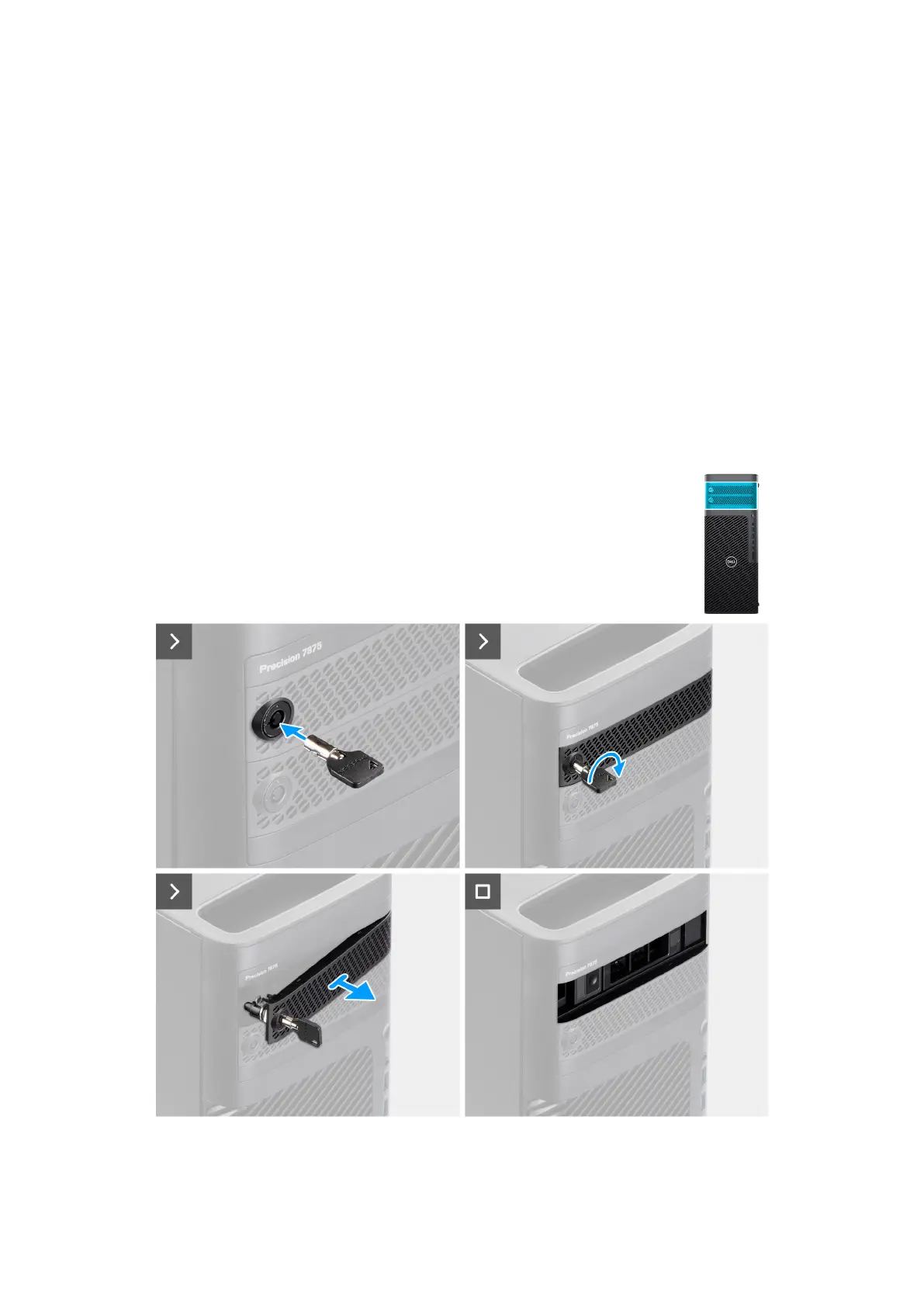
The following images indicate the location of the lockable front bezel for the hard drive and provide a visual representation of
the removal procedure.
Figure 20. Removing the lockable front bezel for hard drive
46
Removing and installing Customer Replaceable Units (CRUs)














 To Next Page