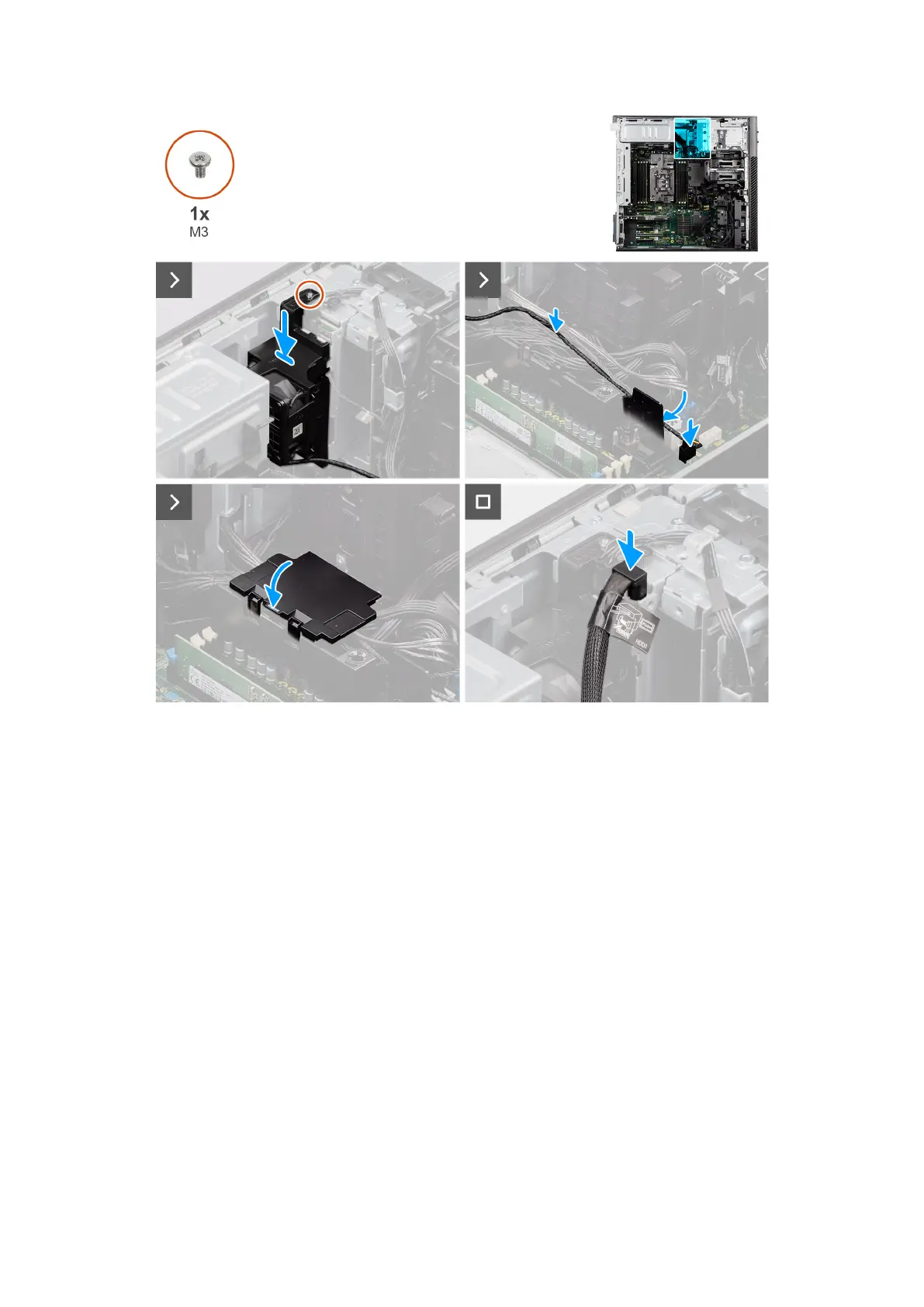
Figure 96. Installing the NVMe-fan assembly (optional)
Steps
1. Slide and insert the NVMe-fan assembly along with the cable into its slot on the chassis.
2. Replace the single (M3) screw to secure the NVMe-fan assembly to the backplane.
3. Open the lid of the bottom-air shroud cover to route the cable inside.
4. Route the cable through the guiding routes.
5. Connect the fan hard drive cable to the connector on the system board.
6. Connect the HDD0 cable from the connector on the backplane.
Next steps
1. Install the air shroud.
2. Install the side cover.
3. Follow the procedure in After working inside your computer.
Removing the NVMe-backplane assembly (optional)
Prerequisites
1. Follow the procedure in Before working inside your computer.
2. Remove the side cover.
3. Remove the air shroud.
Removing and installing Field Replaceable Units (FRUs)
125














 To Next Page