Back
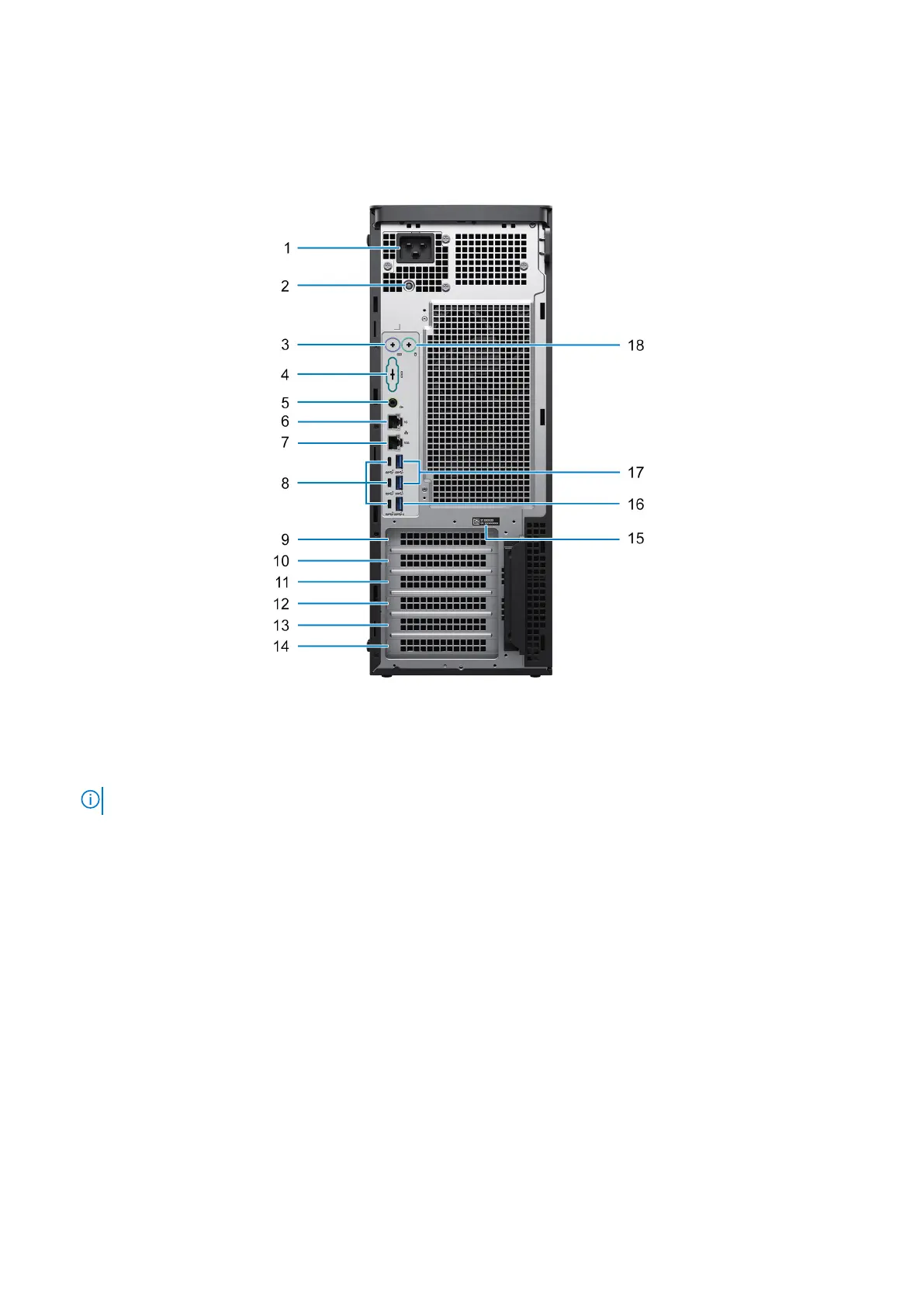
Figure 2. Image: Back view
1. Power port
NOTE: Based on system configuration, the port can be either:
C20 inlet (for 1350 W PSU) or C14 inlet (for 1000 W PSU).
2. Power-supply diagnostics light
3. PS2 port (optional) - keyboard
4. Serial port (optional)
5. Line-out audio port
6. RJ45 Ethernet port (1 Gbps)
7. RJ45 Ethernet port (10 Gbps)
8. Three USB 3.2 Gen 2 Type-C ports
9. Expansion slot 1 (full-height Gen5 PCIe x8 slot), open-ended
10. Expansion slot 2 (full-height Gen5 PCIe x16 slot)
11. Expansion slot 3 (full-height Gen4 PCIe x8 slot - x4 electrical), open-ended
12. Expansion slot 4 (full-height Gen4 PCIe x8 slot), open-ended
13. Expansion slot 5 (full-height Gen4 PCIe x16 slot)
14. Expansion slot 6 (full-height Gen4 PCIe x8 slot), open-ended
15. Service tag location
16. USB 3.2 Gen 1 port with Smart Power On
17. Two USB 3.2 Gen 1 ports
18. PS2 port (optional) - mouse
Views of Precision 7875 Tower
9














 To Next Page