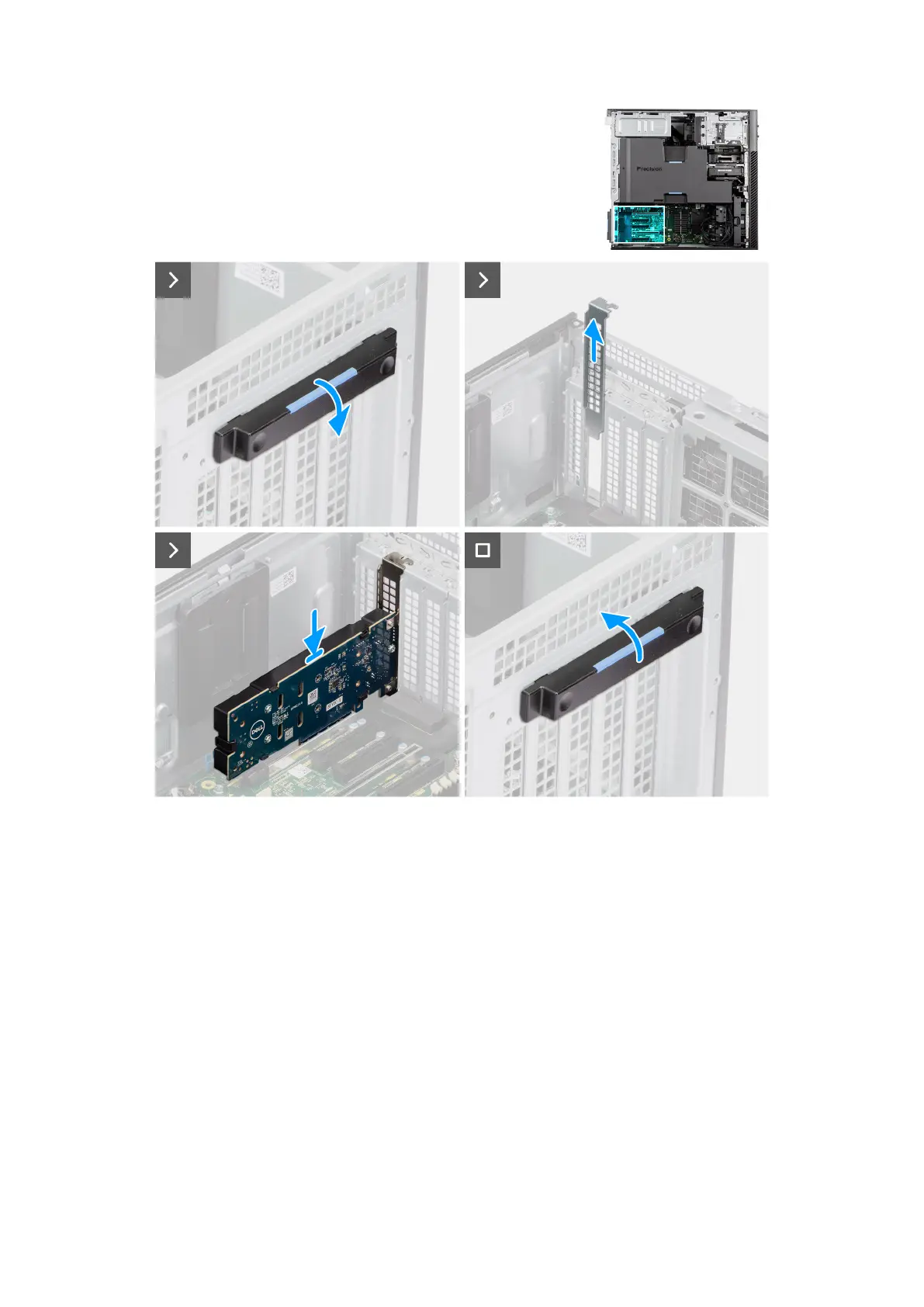
Figure 54. Installing the UltraSpeed Duo card
Steps
1. Push down the PCIe latch to open the PCIe door.
2. Slide and lift the PCIe filler from the PCIe slot.
3. Align and place the UltraSpeed Duo card into the expansion slot.
4. Lift the PCIe latch to close the PCIe door.
Next steps
1. Install the side cover.
2. Follow the procedure in After working inside your computer.
Installing the UltraSpeed Duo solid state drive
Prerequisites
If you are replacing a component, remove the existing component before performing the installation procedure.
80
Removing and installing Customer Replaceable Units (CRUs)














 To Next Page