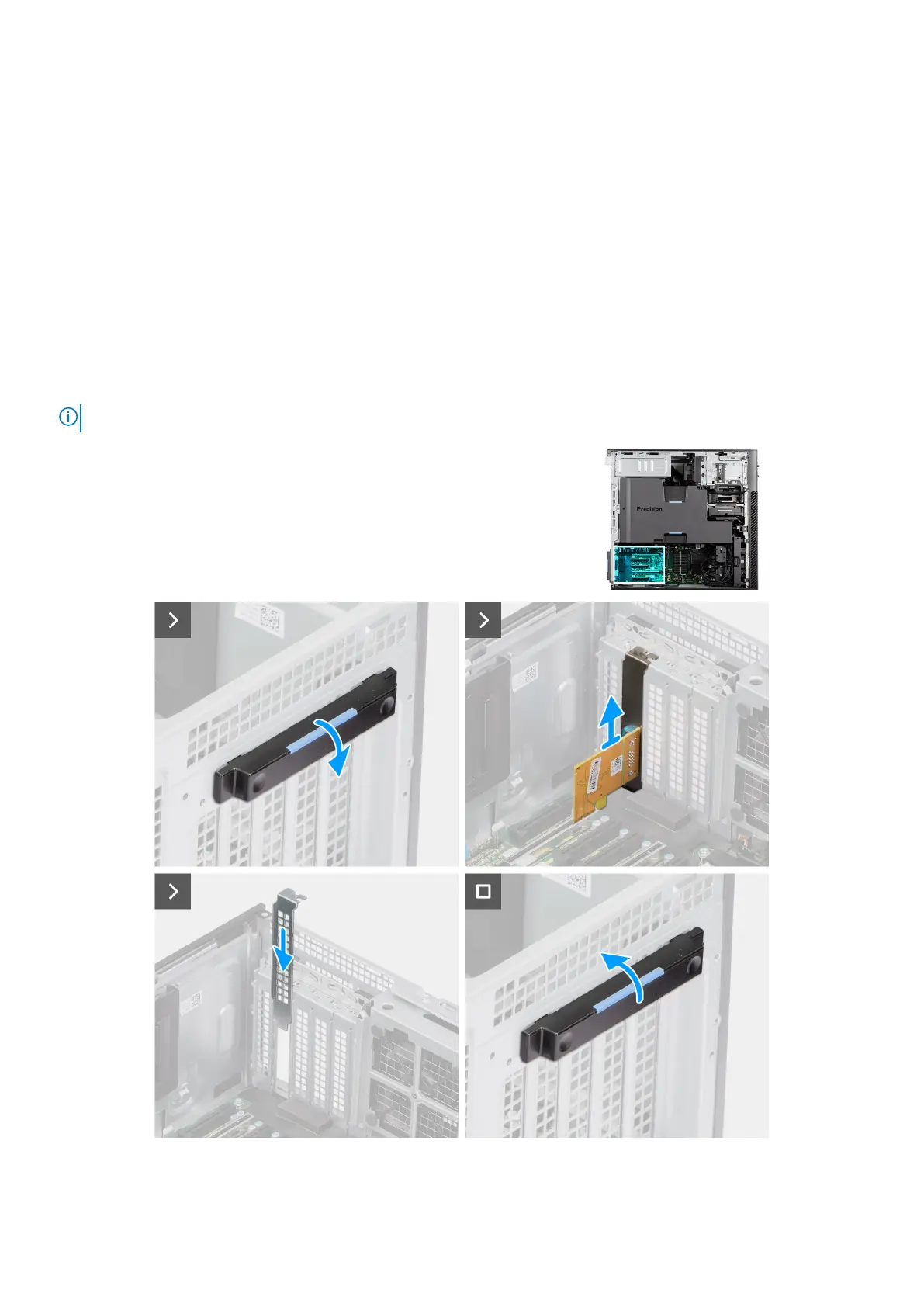
4. Lift the PCIe latch to close the PCIe door.
Next steps
1. Install the side cover.
2. Follow the procedure in After working inside your computer.
Removing the serial card
Prerequisites
1. Follow the procedure in Before working inside your computer.
2. Remove the side cover.
About this task
The following images indicate the location of the serial card and provide a visual representation of the removal procedure.
NOTE: Precision 7875 Tower supports only two serial cards in slots 6, 5, 4, 3, or 1.
Figure 68. Removing the serial card
94
Removing and installing Customer Replaceable Units (CRUs)














 To Next Page