User’s Manual
79
Delete Video:
Only when the current CMS login account is in the admin group, will the video
deletion function be available. Refer to the following for step by step
instruction.
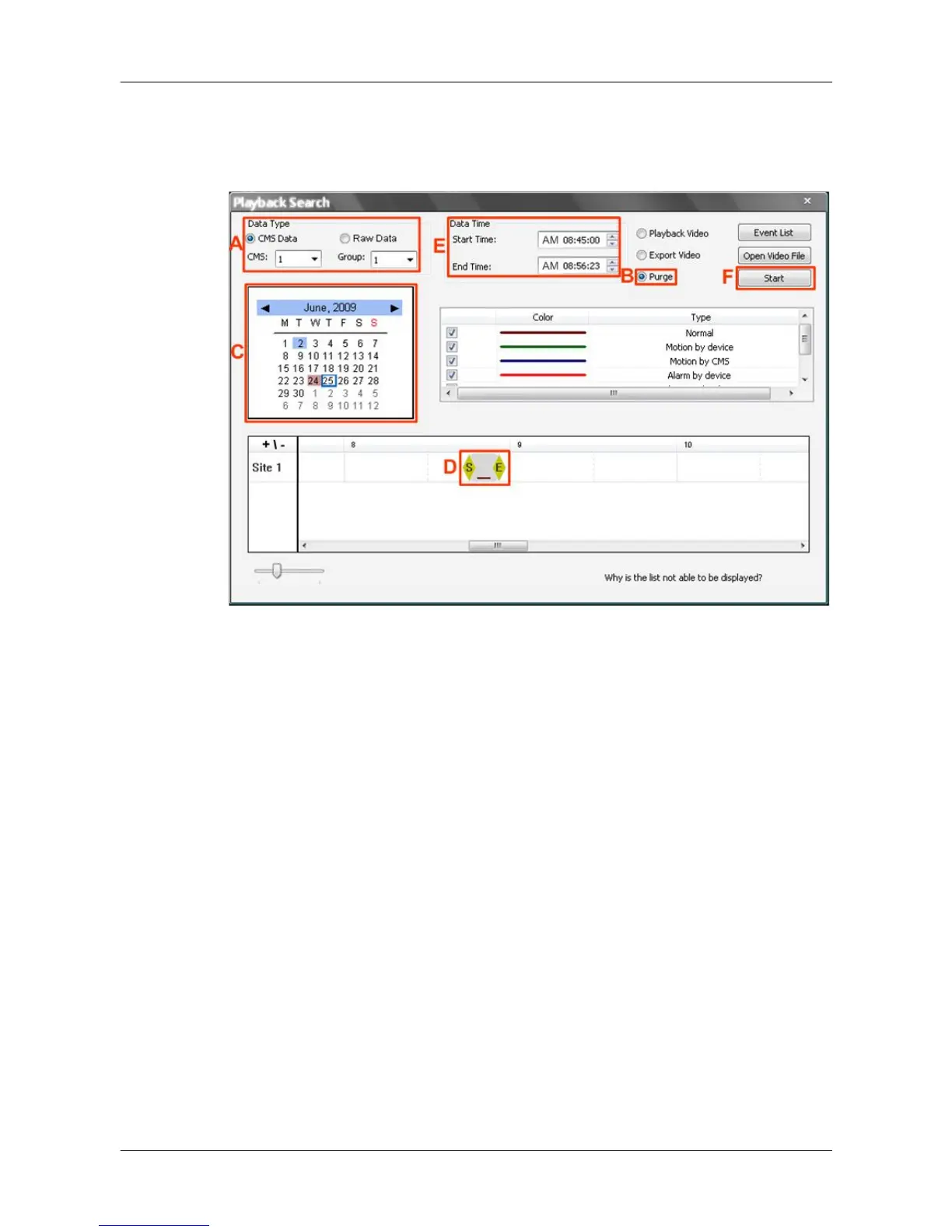
Step A. Select <CMS Data> and choose CMS server & group. Note that
Raw data does not support purge function.
Step B. Select <Purge>.
Step C. Select date of designated videos. Today’s date is in blue box, the
date with video data is highlighted in brown, and the selected date is
highlighted in blue.
Step D. Click and drag the cursor to select designated videos.
Step E. The start and end time of the selected video will be displayed here.
Step F. Click on the <Start> button and a confirmation dialog will be
displayed. Enter correct username and password to start the
deletion.



 To Next Page