User’s Manual
88
Archive Normal Videos:
Users can save the recorded video in the selected site to the local computer.
The archived videos will be in DRV files, which can only be played in CMs
Player. Follow the steps explained below.
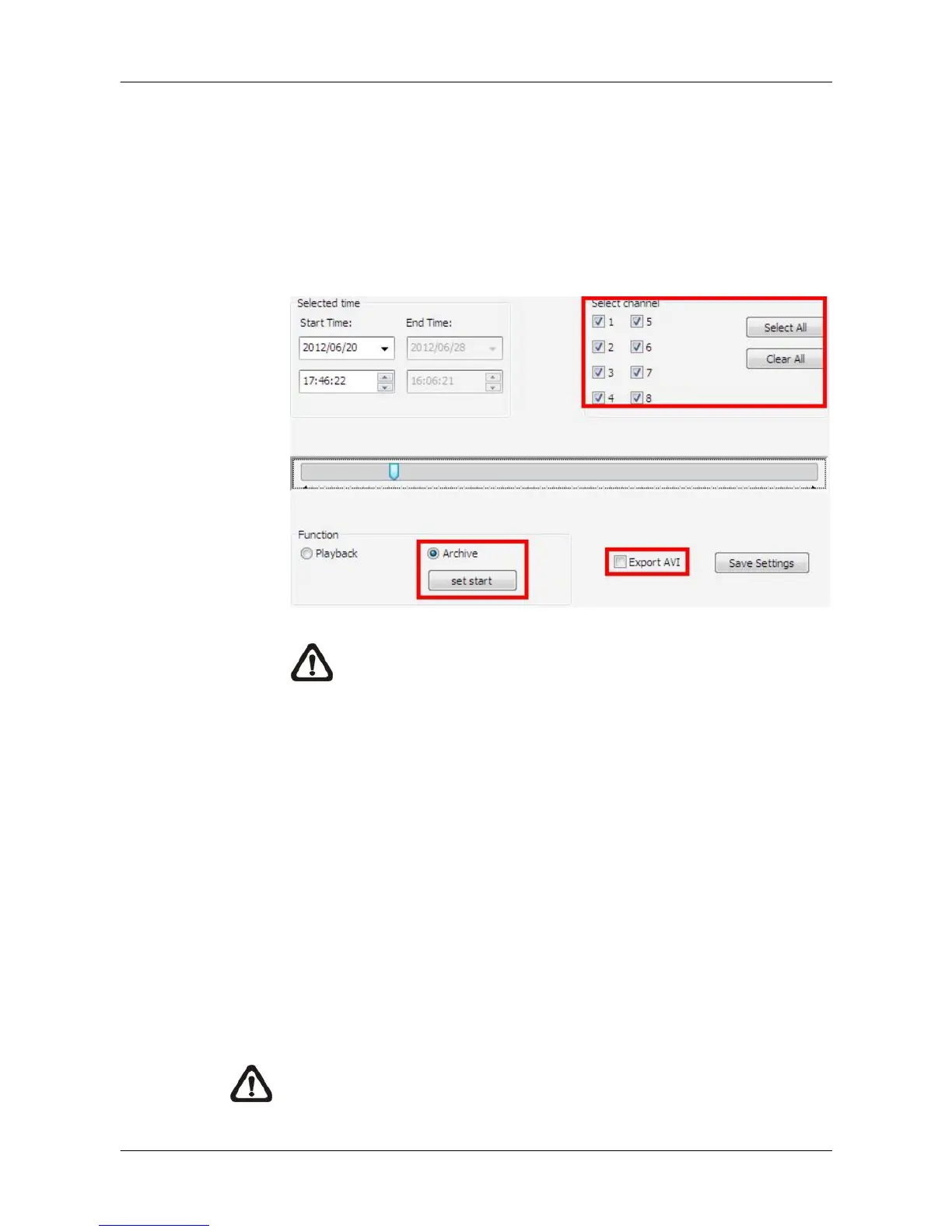
Step 1. First select <Archive> in “Function” area. Then “Selected channel”
area will be available for users to choose preferred channels. If users
wish to export AVI file as well, check the box in front of <Export AVI>.
NOTE: The exported AVI files will be separated files for each
channel.
Step 2. Specify the Start Time in “Selected time” area and click on <set start>
in “Function” area. Then specify the End Time and click on <set end>.
Alternatively, use the slider bar to select start time and end time. Click
<Save Settings> and specify a filename.
Step 3. Archiving from multiple sites at the same time is allowed. Users can
select another site and setup its archiving time following steps 1 and 2
described above.
Step 4. Click on <OK> at the bottom and CMS will start to download the video
data. After archiving is completed, conversion to AVI files will begin if
<Export to AVI> is checked.
NOTE: Do not forget to click on <Save Settings> to confirm archiving,
or CMS will not download videos even if users clicked on <OK>.



 To Next Page