104
EBS Ink Jet Systeme 20140704#1.0
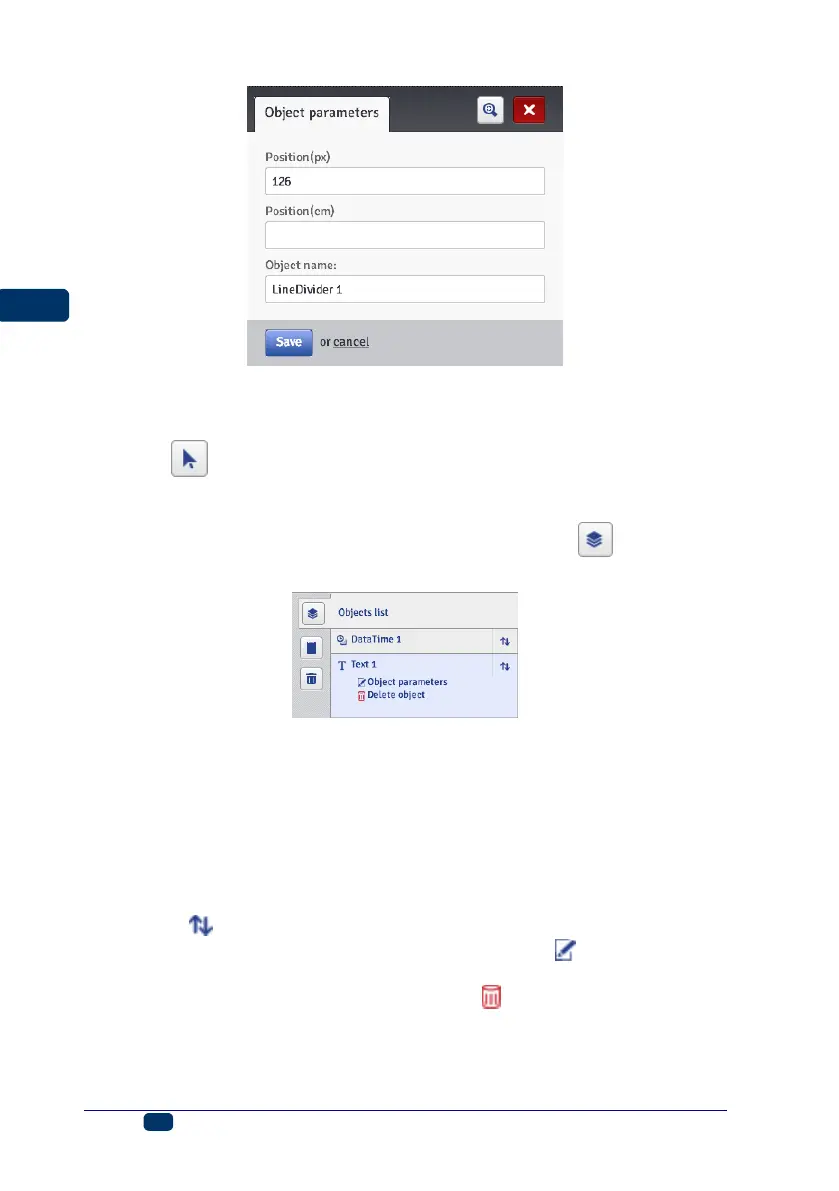
With the Position (px) or Position (cm) parameter you can define the number
of the vertical row on which the division should be made.
You can start modifying and printing divided projects by pressing trigger 6.
Touch the button in order to abandon adding the division mark.
List of Objects
The list of all objects used for a project is accessible with the button on the
vertical right-hand tool bar.
When you click with the left mouse button on the object name, the object is
highlighted in blue and a drop-down menu is displayed. The menu contains the
object parameters and a delete button. If the object name is highlighted in red,
this means an error (the type of error is displayed on the Messages (p. 116)
screen in the bottom section of the Browser window). The following operations
can be performed on the object list:
You can change the sequence of objects in the list and thereby the
sequence in which objecta are arranged in the edit area (the last object in
the list is positioned in the lowest layer, the first one – in the highest layer)
with the button,
You can edit a highlighted object; you can touch the button in order to
open the object parameter window,
You can delete a highlighted object with the button – the deleted object
is moved to trash – see Trash (p. 105).



 To Next Page