20140704#1.0 EBS Ink Jet Systeme
113
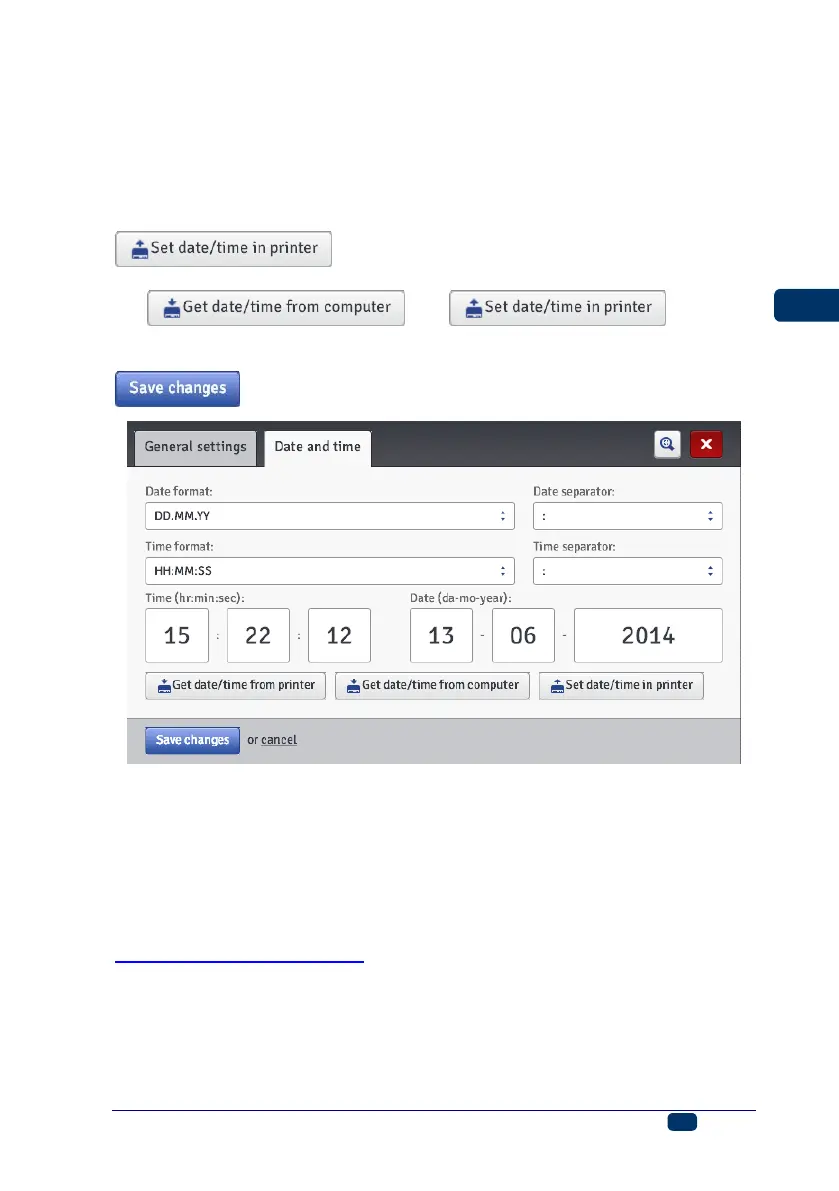
In the Date and time sheet tab you can set the date and time parameters (i.e.
the date and the time, data and time formats and separators as the default
format for newly created Date/Time-type text objects).
The date and time that are displayed after the General settings menu has
appeared are the actual date and the real time generated by the printer clock.
You can save any date and any time in the printer by modifying the Date and
Time settings and transferring them to the printer with the
button.
You can harmonize the computer and printer date and time settings by touching
the and buttons in
turn.
Any changes to date and time formats and to separators are confirmed with the
button.
Service
Update
In the Service menu, which is on the menu bar, choose Update.
Owing to software updates the printer always has up-to-date and improved
software, which makes it function better.
New versions of the software are stored on the printer web site at
http://www.ebs-inkjet.pl/ebs260 in the Information Materials sheet tab. The
update may involve a loss of projects and user-specific settings, and also the
deletion of fonts and images installed. Make sure that the projects and files you
wish to save have been backed up before updating – see Exporting Projects
(p. 35) via the printer (only projects are exported) or Export Project (p. 79) via
EBS Web User Interface (projects and images are exported).



 To Next Page