20140704#1.0 EBS Ink Jet Systeme
29
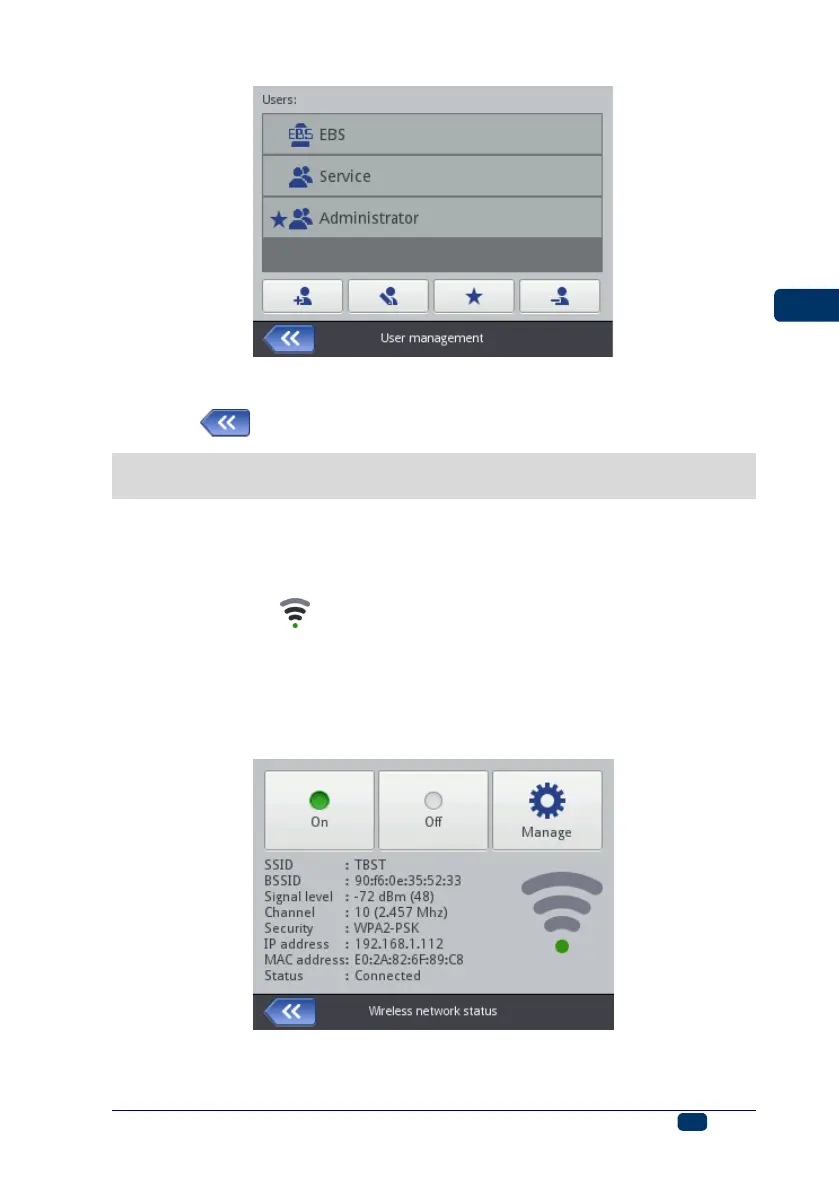
The User Manager is also available via a Web Browser – see Tools – Users
Manager (p. 108).
Touch the button to return to the previous screen.
Radio Communication among the Printer, a Computer and External
Devices
WiFi Wireless Connection
You can use WiFi for communicating the printer with a computer.
The WiFi parameter settings are accessible in two ways:
By touching the icon (C) on the status bar of main screen 12, or
By touching the Tools (U), Settings and WIFI buttons in turn.
The display shows the parameters of the network into which the printer is linked.
You can use the buttons available for activating and deactivating the network, and
also to scan the environment in search for a new network. When the printer is
linked into a given network via WiFi, then diode 21 emits orange light.
A signal strength icon is displayed in the top left corner of main screen 12.



 To Next Page