20140704#1.0 EBS Ink Jet Systeme
69
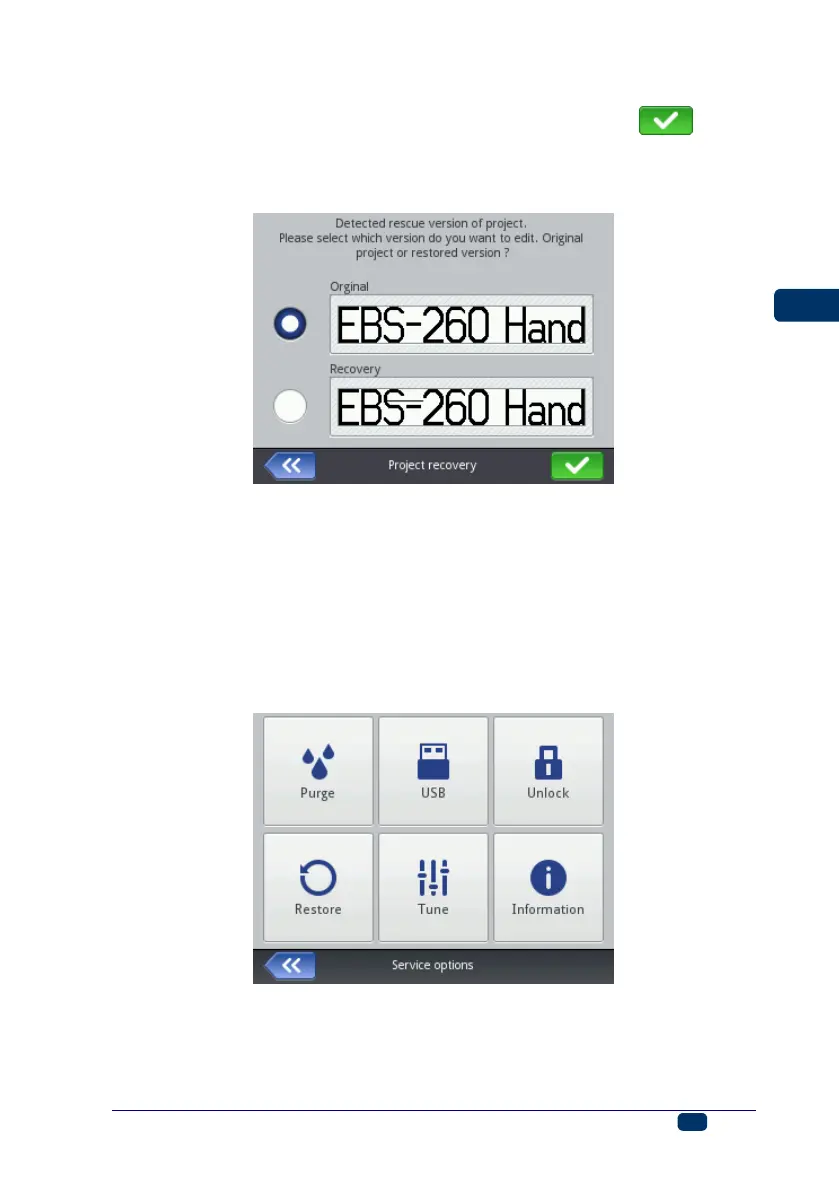
In the screen displayed, touch the check box of a project that you wish to edit. If
you choose the original project and approve your choice with the button,
the recovered project is deleted (the deletion needs confirming on the screen
displayed). If you choose the recovered project, then it is saved in printer
memory under a name you may choose.
Service
With the service options available in the Service menu you can do the following:
make your printer ready for operation – by purging the head in order to vent
it, e.g. after transportation, or to clear choked nozzles,
update printer software, export or import projects,
enable additional options,
restore preliminary settings and data stored in printer memory,
adjust electromagnets in nozzle valves,
view the manufacturer's contact details and the version of printer software.



 To Next Page