42
EBS Ink Jet Systeme 20140704#1.0
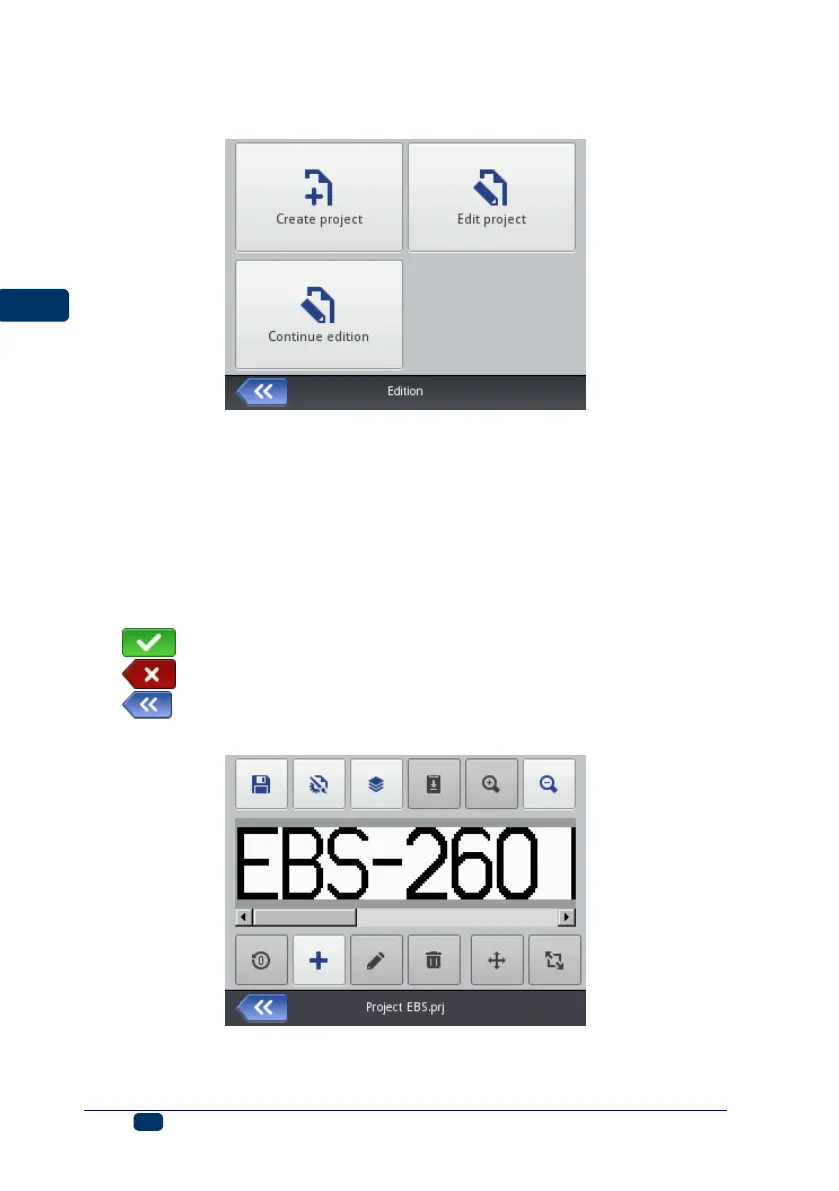
If you wish to continue editing the project that is opened in WUI, touch the
Project button (T) and then Continue edition.
Project Processor
The processor installed on the printer allows you to modify a project from the
LCD panel of the printer without any use of a PC.
The edit window is divided into 4 parts:
Top bar with tool icons,
Edit area (gray), inside which a project is displayed (white),
Bottom bar with tool icons,
Footnote, where there is the name of a project to be edited and the button
designed for closing the processor:
– to save the project currently edited and exit the processor,
– to exit the processor without saving the project,
– to return to the previous screen when no modifications have
been made.
The processor footnote shows the project name, whose color changes after the
project has been modified (from gray to yellow). When the project is saved, the
color of the name changes back to gray.



 To Next Page